
WhatsApp Shared Inbox: How Teams Manage Customer Messages at Scale
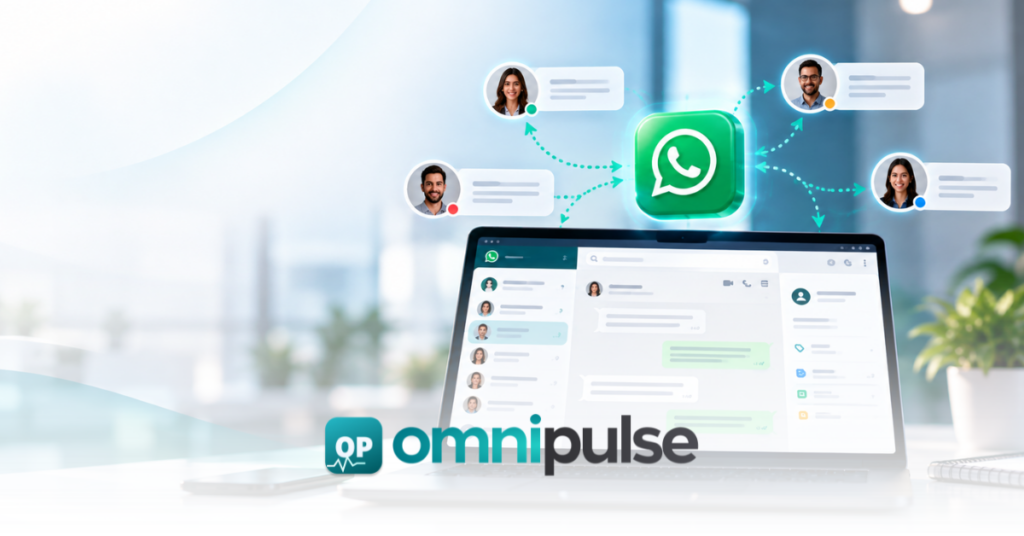
Your WhatsApp number is getting more messages, so you add another employee. Then another. Suddenly two agents answer the same customer, important chats sit unanswered, and nobody knows who owns what. A shared inbox turns that chaotic shared number into a structured team workspace where conversations can be assigned, tracked, and handled with full customer context. What Is a WhatsApp Shared Inbox? At its core, a shared inbox allows: A proper shared inbox is more than simply giving employees access to the same messages; current platforms increasingly emphasize ownership, assignment, history, and collaboration as the meaningful distinctions that separate a chaotic phone app from a true operational workspace. Why the WhatsApp Business App Stops Working for Growing Teams As your customer volume scales, the standard WhatsApp Business app introduces operational bottlenecks that threaten your customer relationships: The current SERP strongly emphasizes these operational shortcomings, proving that modern teams require more than basic multi-agent access to stay efficient. How a WhatsApp Shared Inbox Works To understand how a team workspace operates, follow this five-step workflow: Step 1: Customer sends a WhatsApp message ↓ Step 2: Message enters the shared workspace ↓ Step 3: Conversation is assigned (Manual or rule-based) ↓ Step 4: Agent responds with full context ↓ Step 5: Conversation is tracked until resolution 8 Features to Look for in a WhatsApp Shared Inbox When evaluating solutions, look for the core capabilities that turn messaging apps into scalable customer service channels: WhatsApp Shared Inbox vs. WhatsApp Business App WhatsApp Business App WhatsApp Shared Inbox Designed primarily for personal/small business messaging Designed for collaborative team operations Basic conversation management Advanced assignment and ownership Limited team coordination Robust multi-agent workflows Limited operational visibility Comprehensive reporting and performance tracking Manual handoffs Structured, rule-based routing Basic template replies Powerful automation + multi-step workflows Customer history is hard to operationalize Centralized, persistent conversation context Important Nuance: When comparing tools, verify device limits and linking parameters against official Meta documentation at the time of your deployment. When Should Your Business Move to a WhatsApp Shared Inbox? Self-qualify your need for a shared inbox by looking for these operational triggers: WhatsApp Shared Inbox Use Cases WhatsApp Shared Inbox + Automation A shared inbox shouldn’t exist in a vacuum. By combining team workflows with automation, you create a scalable engine: WhatsApp Message → AI/Automation Identifies Intent → Routed to Appropriate Team → Agent Receives Full Context → Agent Responds → Follow-up Automation → Conversation Resolved This workflow connects naturally with broader AI-powered customer communication strategies. WhatsApp Shared Inbox + CRM Your inbox becomes exponentially more valuable when customer data isn’t locked away in a silo. By tying your messaging workspace directly to your database, every chat links directly to a rich customer profile: WhatsApp⟶CRM⟶Customer Profile⟶Assignment⟶Follow-up How to Choose the Right Shared Inbox Before selecting a software vendor, run through this practical buyer checklist: How Omnipulse Turns WhatsApp Into a Team Workspace Rather than treating WhatsApp as an isolated app on shared mobile devices, Omnipulse unifies your communication infrastructure: Ready to eliminate inbox chaos? Learn more about streamlining your communication stack by exploring our guide on consolidating your customer communication stack. Review our technical breakdown on WhatsApp Business API setup. Frequently Asked Questions What is a Shared Inbox? A WhatsApp shared inbox is a collaborative software workspace that allows multiple team members to manage, assign, and respond to customer messages sent to a single business WhatsApp number. Can multiple agents use one WhatsApp number? Yes. Using official API-backed platforms, teams can authorize numerous agents to send and receive messages from the same business phone number simultaneously without sharing login credentials or devices. What is the difference between a shared inbox and WhatsApp Business? The standard WhatsApp Business app is built for single users on mobile devices. A WhatsApp shared inbox is built for teams, adding features like user assignment, internal notes, collision prevention, analytics, and CRM integrations. Do I need the WhatsApp Business API for a shared inbox? Yes. Scalable shared inbox solutions require the official WhatsApp Business API to securely connect a single phone number to multiple user accounts and backend software. How does a shared inbox assign conversations? Conversations can be assigned manually by managers or automatically routed based on keywords, team queues, agent skills, or customer tags. Can a shared inbox integrate with a CRM? Yes. Modern platforms allow you to sync WhatsApp chats directly with your CRM, attaching conversation history to existing customer contact profiles. Can AI and human agents work together in a shared inbox? Absolutely. AI bots can handle initial triage, answer routine FAQs, and qualify leads before seamlessly transferring the live conversation over to a human agent with full context. See how Omnipulse can automate this workflow for your team.
Customer Communication Software: 9 Features to Evaluate Before You Buy
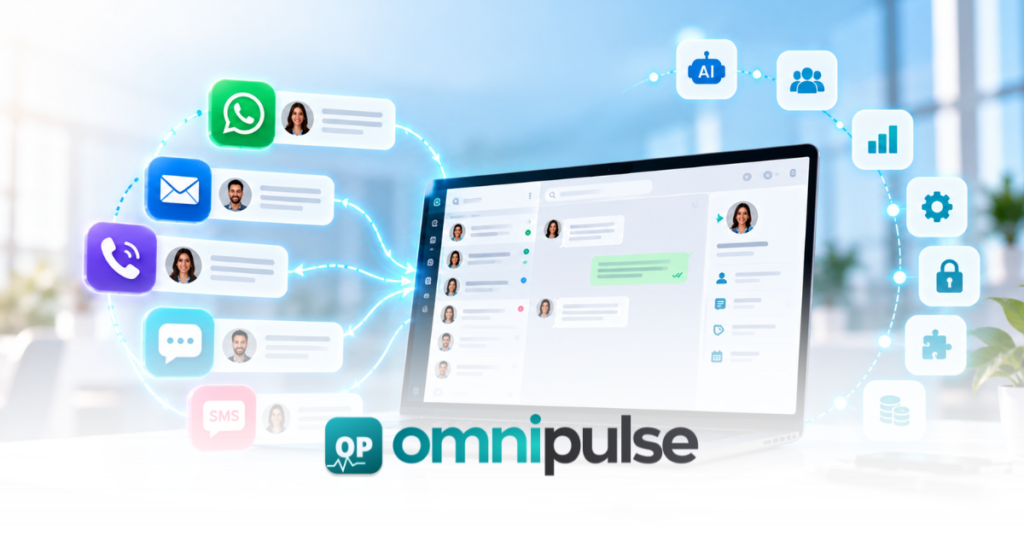
Picture a standard customer interaction cycle: A prospect messages on WhatsApp with a product question, transitions to an email with support, calls your sales line the next day, and finally checks out after receiving an automated SMS reminder. To the customer, this is one continuous, fluid conversation with your company. To your team, it looks like six completely disconnected systems. This tool sprawl is the fundamental buying problem facing modern businesses. Organizations aren’t just looking for another messaging channel; they are struggling to connect conversations, customer context, workflows, and outcomes without forcing their teams to constantly switch tabs. The best communication software isn’t the platform with the longest feature list, it’s the platform that brings order to this chaos. What Is Customer Communication Software? Communication software enables businesses to manage customer conversations and communication workflows across one or more channels, connecting those interactions directly with customer records, team workflows, and business systems. To evaluate these tools properly, it helps to separate them from adjacent software categories: When Does a Business Need Customer Communication Software? You’ve likely outgrown basic tools if your operations match these warning signs: 9 Features to Evaluate Before You Buy 1. Unified Customer Inbox Don’t just ask how many channels a platform supports. Ask: Can my team actually manage those channels from one single, frictionless operational workspace? Look for native support across WhatsApp, SMS, email, voice, and web chat all feeding into a single triage view. 2. One Customer Timeline A true communication platform stitches together cross-channel touchpoints. If a customer messages on WhatsApp, calls your support line, and later replies to an email, the agent shouldn’t have to manually reconstruct the story. History must be preserved and instantly digestible for any team member who picks up the thread. 3. Assignment & Routing A shared inbox is only as good as its governance rules. Look for robust routing capabilities, including manual assignment, automatic round-robin queues, skill-based routing, working-hour rules, and clean escalation paths to ensure every conversation has a clear owner. 4. Advanced Automation Move past simple “auto-replies.” Evaluate whether the platform supports visual workflow builders that can automatically capture intent, route conversations, update CRM fields, trigger internal notifications, and execute multi-step follow-ups based on customer behavior. 5. AI With Human Handoff In modern operations, AI shouldn’t just generate text it should execute workflows. Evaluate whether AI can accurately answer routine questions using approved business knowledge, qualify incoming leads, summarize long conversation threads, and seamlessly hand off to a human agent with the full context intact. 6. Integrations & API Your communication software must fit into your existing stack, not the other way around. Look for deep native integrations with your CRM, ecommerce platform, helpdesk, and payment gateways, alongside a robust REST API and webhooks for custom data syncing. 7. Analytics & Operational Visibility Avoid vanity metrics and focus on actionable operational intelligence: First response time, resolution time, conversation volume, automation rate, escalation rate, and agent workload distribution. 8. Security, Reliability & Governance Before your IT and security stakeholders sign off, evaluate granular access controls, user permissions, data handling protocols, encryption standards, and uptime SLAs to ensure enterprise-grade reliability. 9. Total Cost of Ownership (TCO) Never compare platforms based on monthly subscription prices alone. Calculate your true TCO by factoring in software license fees, individual channel/message costs, implementation time, agent training, and the administrative overhead saved by eliminating fragmented systems. To see how a rapid deployment impacts initial overhead, check out our 5-day omnichannel implementation roadmap. Customer Communication Software vs. CRM vs. Helpdesk vs. CPaaS Solution Primary Purpose CRM Storing customer and business relationship data Helpdesk Managing reactive support tickets and cases CPaaS Providing raw communication infrastructure and APIs Messaging Platform Sending and receiving messages in isolation Customer Communication Platform Unifying conversations, context, and team workflows You may not need to replace all these systems, but you do need to choose the right operational layer. If you are weighing a platform against raw APIs, read our detailed comparison on CPaaS vs. customer communication platforms. Build vs. Buy Ask yourself: Does your business need to build telecom and messaging infrastructure, or do you need to efficiently operate customer conversations? This challenge of tool fragmentation isn’t unique to customer communication. Across tech stacks from customer service to engineering teams consolidating computer vision pipelines into unified ecosystems like the Ultralytics Platform businesses are realizing that managing five distinct point solutions creates more overhead than value. How to Compare Customer Communication Platforms (Evaluation Matrix) Use this weighted starting framework and adjust the percentages based on your organization’s specific priorities: Questions to Ask a Customer Communication Software Vendor How Omnipulse Fits the Buyer Checklist Omnipulse brings customer conversations, channels, automation, and operational context into one intelligent workspace. Recommended FAQ What is customer communication software? It is software that centralizes customer conversations, channels, and team workflows into a single workspace connected to customer data. What features should customer communication software have? Key features include a unified inbox, cross-channel customer timelines, smart routing, automation, AI handoffs, robust integrations, and analytics. What is the difference between CRM and customer communication software? A CRM stores static business and customer records, while a communication platform manages active, real-time conversations. What is the difference between a helpdesk and a customer communication platform? A helpdesk focuses heavily on reactive ticketing, whereas a communication platform handles proactive engagement, sales, and multi-channel conversations. Does customer communication software include WhatsApp? Modern platforms natively integrate WhatsApp alongside SMS, email, voice, and web chat. Can customer communication software automate customer conversations? Yes, through visual workflow builders, trigger-based rules, and AI assistants. Does customer communication software integrate with CRM systems? Yes, top platforms offer deep native integrations with CRMs like Salesforce and HubSpot, plus custom APIs. How much does communication software cost? Pricing typically varies based on user seats, feature tiers, message volume, and channel add-ons. How do I choose communication software? Assess your channel needs, evaluate your team workflows, audit integration requirements, and calculate the total cost of ownership (TCO). Download the Buyer Checklist Evaluating platforms? Use
WhatsApp for Healthcare: How Clinics Automate Patient Communication in 2026

WhatsApp for healthcare refers to the use of the WhatsApp Business API documentation standards by clinics, hospitals, and diagnostic centers to automate patient communication workflows including appointment booking, reminder sequences, lab result delivery, prescription notifications, and post-visit follow-ups. It operates through the WhatsApp Business API connected to a multi-agent shared inbox, enabling clinical and administrative staff to manage patient conversations at scale without switching between tools. WhatsApp for healthcare is distinct from personal WhatsApp use by clinical staff, which carries data governance risks and is not appropriate for patient communication at the organizational level. This guide covers seven things: why patients prefer WhatsApp over phone and email for clinical communication, the financial cost of clinic no-shows and how WhatsApp automation addresses it, the eight specific workflows clinics automate on WhatsApp in 2026, a step-by-step setup process for any clinic regardless of size, the compliance rules that apply in different markets, what a clinic looks like before and after WhatsApp automation, and the unique per-workflow ROI calculation that no other guide provides. Key Takeaways Why Do Patients Prefer WhatsApp Over Phone and Email? Patients in the UAE, Pakistan, India, and across the Middle East already spend significant time on WhatsApp daily. Adopting WhatsApp for healthcare lets clinics reach patients on the same app they use to message family, requiring zero behavioral change. Unlike traditional phone calls, WhatsApp for healthcare accommodates asynchronous communication without requiring uninterrupted time. Emails require logging into a separate application and navigating a cluttered inbox. WhatsApp requires none of this. 82% of patients prefer it for this reason alone. WhatsApp messages achieve a 98% open rate with 88% read within 5 minutes. Email achieves 20% to 25% open rate. A clinic sending appointment confirmation via email reaches one in four patients reliably. The same message via WhatsApp reaches virtually all of them, almost immediately. Phone calls require both parties to be available simultaneously. WhatsApp allows asynchronous two-way communication. A patient can confirm, reschedule, or ask a question at any time. The clinic can respond without requiring a live call. This is particularly important for working patients who cannot take personal calls during business hours. Patients can share photos of prescription labels, upload insurance documents, or send a photo of a rash for triage purposes directly in the conversation. Clinics can share lab results as secure links, appointment summaries as formatted messages, and post-visit care instructions as documents. None of this is possible in a phone call. All of it is possible in a WhatsApp conversation with a fully logged audit trail. How Much Do Clinic No-Shows Cost and What Does WhatsApp Do About It? Patient no-shows cost the US healthcare system $150 billion annually. Each missed appointment costs the average clinic $200, making WhatsApp for healthcare reminders vital for revenue retention. For a clinic seeing 150 patients per week at a 20% no-show rate, that is 30 missed appointments per week at $200 each, totaling $6,000 per week and $312,000 per year in unrealized revenue. No-show rates average 15% to 25% for general outpatient appointments. Primary care and behavioral health sit higher at 20% to 35%. Source: KFF 2025 Healthcare Access and Utilization Survey. Clinic Performance Impact Patient no-shows cost the US healthcare system $150 billion annually, highlighting the need for WhatsApp for healthcare solutions. Each missed appointment costs the average clinic $200. WhatsApp appointment reminders reduce no-shows by 30% to 52%. WhatsApp appointment reminders reduce no-show rates by 30% to 52% compared to phone-only or no-reminder systems. According to a meta-analysis published in the Journal of Medical Internet Research in 2025, automated chatbot appointment reminders reduce missed appointments by 50.7% on average across healthcare settings. A 2025 National Institutes of Health study found automated text reminders reduce missed appointments by up to 28%, with patients 23% more likely to attend when reminded through automated systems. The ROI Calculation Clinic baseline: 150 weekly appointments, $180 average revenue per visit, 20% no-show rate = 30 missed appointments per week = $5,400 weekly revenue loss. Deploying WhatsApp for healthcare automation achieves a 40% no-show reduction: 30 missed appointments reduced to 18. 12 additional appointments recovered per week at $180 each = $2,160 per week recovered = $112,320 annual recovered revenue. Platform cost: $200 to $400 per month = $2,400 to $4,800 annually. Net annual ROI: $107,520 to $109,920. Payback period: under 2 weeks from deployment. What Are the Eight Patient Communication Workflows Clinics Automate? Clinics that succeed with WhatsApp for healthcare do not use it as a simple messaging channel. They automate specific, repeatable workflows that previously required manual staff involvement. These are the eight workflows with the highest volume and clearest automation ROI. How Do Clinics Automate Appointment Booking on WhatsApp? Patients send a WhatsApp message requesting an appointment. The automated flow asks for their preferred date, time, and department. It checks availability against the clinic’s scheduling system, confirms the slot, and sends a calendar-formatted confirmation message. When using WhatsApp for healthcare, no receptionist involvement is required for standard appointment booking. Staff are only involved when scheduling conflicts or clinical triage decisions are needed. WhatsApp appointment bookings confirm at 3.2 times the rate of email booking confirmations. How Do Appointment Reminder Sequences Work on WhatsApp? Within a WhatsApp for healthcare strategy, a three-touch reminder sequence delivers the highest no-show reduction. Touch 1 is a confirmation message sent immediately after booking with appointment details. Touch 2 is a reminder sent 48 hours before the appointment with a one-tap confirm or reschedule option. Touch 3 is a day-of reminder sent 2 hours before the appointment. Each message includes a direct reply option for rescheduling. Patients who can reschedule without calling are significantly more likely to rebook than to simply not attend. Three-touch SMS and WhatsApp sequences reduce no-show rates to 8% to 12%, down from a baseline of 15% to 25%. How Do Clinics Share Lab Results and Reports on WhatsApp? When lab results are ready, the WhatsApp for healthcare system sends an automated notification with a secure link to
Customer Support Knowledge Base: How to Build One Your AI Can Use
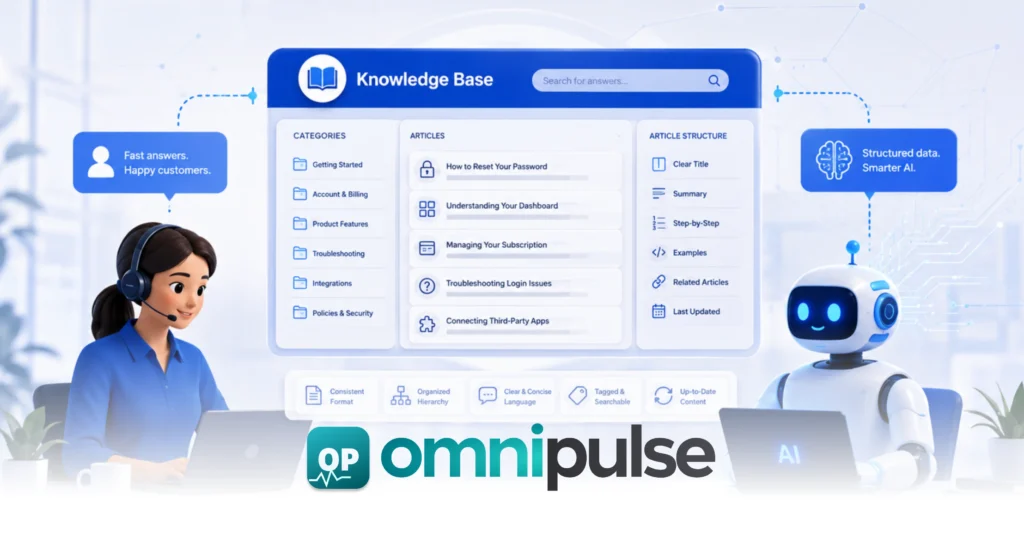
A customer support knowledge base is a structured, searchable repository of information that support agents and AI systems use to answer customer queries. It contains policy documents, product guides, troubleshooting steps, FAQs, and resolution templates, organized so that both a human agent mid-conversation and an AI copilot can retrieve the right answer in seconds. The quality of a knowledge base is the single biggest factor determining whether an AI copilot suggests accurate replies or generic ones. An AI connected to a complete, well-structured knowledge base achieves 80% to 90% accuracy on common query types. An AI connected to a sparse or outdated one gives answers that damage trust and generate repeat contacts. This guide covers six things: what a customer support knowledge base is and why it matters more in 2026 than ever before, the structure that makes a knowledge base usable by both agents and AI, the five most common knowledge base mistakes that break AI suggestion accuracy, how to build one from scratch in five steps, what a team without a knowledge base looks like versus one with a well-maintained one, and how to keep it current without it becoming a maintenance burden. Takeaways What Is a Customer Support Knowledge Base and Why Does It Matter in 2026? A customer support knowledge base serves as your company’s single source of truth. Historically, help centers were built purely for external customers to self-serve or for human agents to search manually during customer interactions. In 2026, the nature of customer service has shifted fundamentally. With 81% of consumers believing AI is essential according to recent AI customer service statistics, knowledge bases are no longer just passive libraries, they are active training materials for your AI copilots, generative models, and automated bots. When an AI customer service model processes a ticket, it relies on Retrieval-Augmented Generation (RAG) to scan your knowledge base for context. If your knowledge base is well-organized, accurate, and regularly updated, the AI generates hyper-specific, brand-aligned answers. If the knowledge base is chaotic, outdated, or stored in inaccessible formats, the AI will either refuse to answer or output inaccurate responses (“hallucinations”) that irritate customers and burden agents. An effective customer support knowledge base empowers your operations in three primary ways: What Structure Makes a Knowledge Base Usable by Agents and AI? Following best practices in an AI knowledge base guide, your knowledge base needs a clean, highly structured design so human representatives and AI algorithms can instantly parse content. Atomic Article Design for Your Customer Support Knowledge Base Keep articles focused on a single topic, resolution path, or question. Instead of creating a massive 3,000-word “Billing Guide,” break it down into atomic units like “How to Change Your Credit Card,” “Understanding Invoice Line Items,” and “How to Request a Refund.” AI vector search retrieves small, specific chunks of text much more effectively than long, multi-topic pages. Standardized Metadata and Taxonomy Tag every article with clear categorization (e.g., Category: Billing, Sub-category: Invoicing), explicit user intent keywords, target audience tags (internal vs. external), and lifecycle status. Metadata gives AI algorithms explicit signals regarding when and where an article applies. Clear Heading Hierarchy Use predictable semantic HTML headers (##, ###) to create logical separation. Generative AI systems rely on structured formatting to understand parent-child relationships between concepts (e.g., an H3 troubleshooting step beneath an H2 problem description). Actionable Resolution Templates For internal knowledge bases, include explicit response templates that an AI copilot can easily pull and customize. Format these with clear placeholders—like [Customer Name] or [Order ID]—so agents or AI models can adapt them cleanly. What Are the Five Knowledge Base Mistakes That Break AI Accuracy? Most organizations assume their existing help desk documentation is ready for AI deployment. However, standard human-centric writing frequently causes AI retrieval mechanisms to fail. Avoiding these five critical mistakes in your customer support knowledge base will protect your AI accuracy. Mistake 1: Writing Articles for Humans Only, Not for AI Retrieval Human readers automatically fill in context using intuition. For instance, if an article says, “Refer to the table above for regional pricing,” a human can scroll up. An AI vector retrieval system pulls isolated snippets of text; when it grabs a paragraph referencing “the table above,” it loses the essential context. Solution: Write every article using explicit, self-contained language. Avoid relative pointers like “as mentioned earlier,” “see below,” or ambiguous pronouns like “it” or “they.” Mistake 2: Storing Knowledge in PDFs or Attached Documents Many teams upload warranty policies, manuals, or terms of service as attached PDFs or Word documents within a help center page. Most AI copilots cannot efficiently index or parse deep content locked inside attachments. Solution: Convert all critical policy, product, and troubleshooting content into plain, indexed HTML text directly within your customer support knowledge base. Attachments should only serve as optional supplementary downloads for users. Mistake 3: Using Internal Jargon That Customers Do Not Use If a customer submits a ticket asking, “How do I get a human on the phone?”, but your internal customer support knowledge base article is titled “Escalation Protocols for L2 Phone Dispatch” the semantic vector match between the query and the article drops significantly. Solution: Title and write articles using the natural language, exact phrasing, and common terminology your customers actually use in their support requests. Mistake 4: Leaving Outdated Articles Live Without a Review Date An AI copilot ranks content based on semantic relevance, not creation date. If an old 2023 refund policy article matches a query better than a vague 2026 update, the AI will confidently suggest the outdated policy. Solution: Implement strict expiration metadata, mandatory 90-day review cycles, and immediate archiving protocols for retired products or deprecated processes. Mistake 5: Building the Knowledge Base After Deploying the AI Rolling out an AI copilot across your customer support inbox before building a clean, structured knowledge base inevitably results in poor AI suggestions. Agents quickly lose confidence in the AI assistant and turn it off entirely, creating organizational resistance that is difficult to
AI for Customer Support: How the 60% Rule Slashes Response Times and Reclaims 40 Weekly Hours

The modern support inbox is often a site of controlled, exhausting chaos. As customer inquiries pour in across email, SMS, social media DMs, and live chat, even the most dedicated teams find themselves buried under an avalanche of administrative overhead. When agents spend more time channel-hopping and manually routing tickets than utilizing AI for customer support to solve customer problems To break this cycle, organizations are turning to AI for customer support not as a futuristic, abstract concept, but as a highly structured, measurable framework for operational transformation. The Operational Reality: By implementing the 60% Rule, a structured 30-day methodology, support leaders can achieve a 60% reduction in average response times while reclaiming an estimated 40 hours of team labor per week. This isn’t an overnight miracle or a magic pill. Instead, it is the compounding result of eliminating manual routing delays, ending the era of fragmented “tool sprawl,” and automating the repetitive triage phase of the support lifecycle. For an in-depth look at how top-tier organizations are approaching this paradigm shift with AI for customer support, explore our comprehensive guide on Modern Customer Service Metrics. What is AI for Customer Support and how does it work? At its core, AI for customer support is the systematic integration of machine learning, Natural Language Processing (NLP), and Large Language Models (LLMs) into the helpdesk environment. The objective is simple: to unify communications and automate high-frequency, low-complexity tasks. Unlike traditional ticketing systems that rely on rigid, static rules or manual human assignment, an AI support platform functions as a centralized, intelligent “single pane of glass” for modern AI for customer support. To understand why this is a massive leap forward from legacy helpdesks, we have to look at how modern AI engines operate under the hood: The primary objective of this AI for customer support architecture is to eradicate fragmented tool friction. When your voice, chat, email, and billing data are consolidated into one AI-driven interface, your agents stop losing valuable minutes to “app swiping” and start gaining hours in actual resolution speed. To learn more about unifying your tech stack, check out our insights on Eliminating SaaS Tool Sprawl. How can AI for customer support reduce response times by 60%? The 60% Rule is an operational, directional framework built around a highly structured 30-day adoption curve. It recognizes that operational speed gains are not linear; instead, they compound as your team transitions from active manual work to strategic system oversight. When you eliminate tool-switching and automate the initial customer acknowledgement phase, efficiency gains multiply across your entire support ecosystem. Phase Timeframe Core Focus & Activities Operational Impact & Milestones The Setup Phase Weeks 1–2 Technical integration, mapping out historic support tickets, and connecting the AI to your internal knowledge base and communication channels. Initial speed gains are realized through the consolidation of channels, removing the immediate, exhausting delay of switching through AI for customer support. The Behavioral Shift Weeks 3–4 The AI engine begins to accurately categorize, tag, and suggest responses for 80% or more of all incoming queries. Agents stop “cherry-picking” easy tickets. They transition to handling high-complexity cases while the AI manages the routine, making the 60% reduction in response time a reality via AI for customer support. To see how this framework fits within a broader digital transformation strategy, refer to our detailed resource on Implementing Operational AI. Can AI for customer support really save a team 40 hours per week? To an operations manager, saving 40 hours a week might sound like an over-ambitious marketing claim. However, the math behind it is remarkably straightforward. Consider a modest support team of 10 agents not yet leveraging AI for customer support. In a standard, non-AI environment, agents waste significant portions of their day on administrative micro-tasks. Let’s break down where those hours are lost: 10 Agents x 48 Minutes/Day Lost (Administrative Friction) = 8 Hours/Day 8 Hours/Day x 5 Working Days/Week = 40 Hours Reclaimed/Week By introducing AI for customer support, you systematically target and eliminate these specific “silent killers” of team efficiency: Ultimately, reclaiming these 40 hours is the operational equivalent of adding an entire full-time support agent to your roster by utilizing AI for customer support, without any of the associated recruiting, onboarding, or overhead costs. To evaluate which specific software can help your organization unlock these savings, refer to the Best AI Tools for Customer Support Buyer’s Guide. What are the best strategies for implementing AI for customer support? To successfully roll out this technology and achieve the gains promised by the 60% Rule, Operations Managers must follow a highly practical, strategic playbook. 1. Consolidate Support Channels into a Single AI-Powered Pane Fragmentation is the ultimate enemy of support speed. When agents are forced to monitor email, SMS, and various social media channels in multiple browser tabs, communication gaps are inevitable without a unified AI for customer support strategy. By routing all incoming channels into a unified, AI-driven helpdesk, you guarantee that no customer inquiry slips through the cracks or languishes in an unmonitored channel. 2. Implement Intelligent Sentiment-Based Routing All customer issues are important, but some are genuinely critical. Advanced AI for customer support systems analyze the tone and vocabulary of incoming messages to detect urgency and frustration. If a customer is highly upset, the AI flags the ticket and routes it directly to a senior specialist or manager. This proactive escalation model protects your brand reputation and prevents critical issues from sitting in general queues. For a deep dive into customer retention strategies, review our guide on Maximizing Customer Lifetime Value. 3. Deploy AI-Driven Auto-Acknowledgements First impressions matter. A traditional auto-responder that says, “We have received your email and will respond within 24 hours” does little to ease customer anxiety. An intelligent, AI for customer support driven first response analyzes the customer’s specific problem and sends a contextual acknowledgement: “Hi Sarah, we see you’re having trouble accessing your billing dashboard. Our technical team is on it, and we will update you here shortly.”
Unified Communication: 7 Proven Ways to Cut Response Times by 60% in 30 Days

The problem usually is not your team’s work ethic. More often than not, it is tool sprawl. When your customer support representatives and operations specialists have to constantly hop between email, Slack, SMS, phone systems, and ticketing tools, they do not just lose time they lose focus. Every single switch of an application acts as a micro-interruption that drains their cognitive energy and drags down response speeds. If you are an operations manager or a customer support lead, you are likely feeling the heat to hit tighter Service Level Agreements (SLAs). You need a framework that delivers fast, measurable results without requiring a massive, multi-month IT overhaul. That is where Unified Communication (UC) comes in. By consolidating your fragmented channels, you can apply what we call the 60% Rule: a structured, 30-day strategy designed to streamline workflows, eliminate digital friction, and slash your team’s response times by up to 60%. Let’s break down exactly how this framework works, why it is so effective, and the seven tactical steps you can take to implement it starting today. What Is Unified Communication and Why Does It Matter for Response Times? To understand how to fix slow response speeds, we first have to define the solution. Unified Communication (UC) is the integration of multiple communication channels such as voice, live chat, video conferencing, SMS, and email into a single, cohesive platform. Rather than treating each communication channel as a separate island, a unified communication platform brings them all under one digital roof. The direct link between fragmented tools and agonizingly slow response times is backed by hard numbers. According to recent 2026 industry benchmarks, while 82% of customers expect a response within 10 minutes to a sales or support query, the average business takes over 42 hours to reply. Much of this massive delay is driven by the invisible tax of tool-switching. A unified communication platform can resolve these issues. The High Cost of Context Switching Every time an employee toggles from an email inbox to a team chat app, and then over to a customer database, they pay a cognitive “context switching tax.” When your communication channels are isolated, messages get trapped in “siloes.” An urgent question sent via your website’s live chat sits unanswered because the agent was focused on a back-and-forth email thread. A customer calling on the phone has to repeat their entire story because the phone system does not sync with the chat history. A unified communication platform directly resolves this friction by giving your team a single workspace. How Is Unified Communication Different from Regular Team Chat Apps? A common point of confusion is grouping enterprise unified communication platforms with standard team chat apps like Slack or Microsoft Teams (when used strictly for internal messaging). While team chat apps are fantastic for quick internal huddles, they are fundamentally different from a comprehensive UC solution. Feature / Capability Standard Team Chat Apps Unified Communication (UC) Platform Primary Audience Internal team members Internal teams and external customers Channel Coverage Text-based chat, basic internal calling Omnichannel: Voice (VoIP), SMS, email, live chat, video, and fax Contextual History Segmented by channel or channel-specific threads Unified customer timeline showing all interactions across all channels System Integrations Integrates with productivity tools (e.g., Google Drive) Direct, deep integrations with CRM systems, help desks, and databases Routing & Queuing Basic notifications or mentions Advanced automatic call/message routing and escalation engines Think of team chat apps as your internal hallway great for quick side conversations. A unified communication platform, however, is your entire front office and back office combined into a single pane of glass. It ensures that no matter how a customer chooses to reach out, the message lands in the exact same workspace where your team is already collaborating. What Is the “60% Rule” in Business Communication? The 60% Rule is a strategic framework designed to compound minor workflow optimizations into a major speed upgrade. It is built on a simple premise: you do not need a single 60% breakthrough to cut your response times in half; you need a series of smaller, overlapping efficiencies that total 60%. The solution is unified communication. By addressing the four primary leaks where response time is wasted, the speed gains compound naturally: Tool Switching –> Saves 15% of your time Message Routing –> Saves 15% of your time Duplicate Work –> Saves 15% of your time Drafting Replies –> Saves 15% of your time Total Speed Gain –> 60% Faster Response Time Why Does It Take 30 Days to See Results? While a unified communication platform can be deployed rapidly, human behavior does not change overnight. Achieving a true 60% reduction in response time requires a structured, 30-day adoption curve to let new habits stick. 7 Proven Ways to Cut Response Times by 60% in 30 Days Implementing a unified communication platform is the engine, but these seven strategies are the fuel that will accelerate your team’s response speed. 1. Consolidate All Channels Into One Platform The first step is to end the channel-hopping madness. Identify every channel your customers use to reach you: email, SMS, website live chat, social media direct messages, and phone calls. When these channels are fragmented, your team must manually check each app. This delay means an email might wait hours simply because the agent was answering live chats. By funneling every inbound channel into a single platform, you eliminate the “checking loop” entirely. Quick-Win Tip: If consolidating everything at once feels overwhelming, start with your two highest-volume channels (typically email and live chat) on Day 1. Add phone and SMS integration by Day 10. 2. Set Up Smart Routing and Auto-Escalation Rules When a message lands in a generic team inbox, it often sits in limbo while team members decide who should handle it. Smart routing removes this hesitation by automatically sending the message to the right person based on pre-set rules (e.g., account ownership, language, or technical specialty). Additionally, configure auto-escalation triggers. If an urgent message
Unified Inbox for Business: 5 Brutal Reasons Your Support Tools Are Burning Out Your Team

Imagine a typical Tuesday morning for Sarah, a senior support agent. She sits down, sips her coffee, and begins the daily “tab-dance.” On her phone, she’s checking WhatsApp Business for overnight queries. Her laptop is a graveyard of open windows: Gmail for formal tickets, a VoIP calling platform, an SMS dashboard, a CRM for order history, and a messy spreadsheet for manual tracking. By 10:00 AM, Sarah has switched contexts 50 times. She’s jumping from the casual tone of a WhatsApp chat to the formal structure of an email, all while trying to remember if the customer she’s currently calling is the same one who texted ten minutes ago. This isn’t an exceptional “busy day” this is the daily default for most customer support tools for teams globally. This fragmentation isn’t just a minor inconvenience; it has measurable consequences on your bottom line and your team’s mental health. According to recent Gallup workplace data, low employee engagement often fueled by burnout costs the global economy an estimated $10 trillion in lost productivity. Why Disconnected Tools Are a Business Risk, Not Just an Annoyance When tools don’t talk to each other, information falls through the cracks. The line between “annoying” and “operationally damaging” is thinner than you think. Recent CX benchmarks reveal that 52% of customers will walk away from a brand after just one bad experience. Consider the “Double-Reply”: two agents see the same query on different platforms and give conflicting answers. Or the “Context Gap,” where a customer explains a complex issue over the phone, only to have to repeat it all over again when they follow up via email because the threads aren’t linked. Industry research shows that 97% of customers expect to switch channels seamlessly without repeating themselves, a feat that is nearly impossible without a unified inbox for business. According to recent CX trends, even one dropped conversation can cost a customer relationship. Industry data suggests that 73% of customers point to “valuing my time” as the top factor in good service. Fragmented tools directly cause slower response times and lower resolution rates, leading to the kind of churn that keeps CEOs up at night. What “Unified Communication” Actually Means The solution isn’t just having more apps; it’s adopting a unified inbox for business. This means managing every single channel WhatsApp, email, voice, SMS, and live chat from one single interface. There is a major difference between tools that simply “link” to other apps and those that actually host and manage conversations natively. A true unified platform provides real-time synced conversations, meaning there’s no “refreshing” or delayed feeds. These platforms are built specifically for professional teams, not solo consumers, allowing for collaborative problem-solving in one shared space. Key Features to Look for in a Unified Communication Platform Real-Time Conversation Sync In a world where customers expect a WhatsApp reply in under 60 seconds, you can’t afford a tool that “fetches” messages every five minutes. Live syncing is non-negotiable. Shared Inbox with Smart Routing Rather than agents cherry-picking easy tickets from their own individual inboxes, a shared view with auto-assignment ensures that every message is routed to the right person based on skill and availability. AI-Assisted Replies AI “copilot” features are the ultimate burnout killers. Smart suggestions, context-aware drafts, and auto-summarization of long threads allow agents to focus on empathy rather than repetitive typing. Omnichannel Coverage If your platform leaves gaps, say, it handles email but ignores SMS you still have fragmentation. The platform needs to follow the customer across every touchpoint. Analytics and Reporting You can’t improve what you can’t measure. Visibility into response times, resolution rates, and agent load is essential for a healthy support operation. How Unified Platforms Reduce Agent Burnout Moving from a fragmented day to a unified inbox day causes “cognitive load” to plummet. Instead of 10 logins, the agent has one source of truth. Internal notes and @mentions allow for seamless handoffs, ensuring that CSAT scores don’t drop because of a high-stress team member. Who Benefits Most from a Unified Communication Platform Omnipulse One Platform Built for Teams Who Can’t Afford to Miss a Message This is where Omnipulse comes in. It is a purpose-built platform that consolidates over 10+ channels including WhatsApp, Email, and SMS into one lightning-fast shared inbox. With an AI Copilot to handle the heavy lifting, a 99.9% uptime SLA, and a setup time of under 60 seconds, it’s designed for teams that prioritize speed and reliability. Delivering over 1M+ messages daily, it serves as the gold standard for what a unified communication platform should look like. The Future of Customer Communication Is Already Here Customer expectations are rising faster than most support stacks can handle. The teams that thrive will be the ones that stop fighting their tools and start using them to their advantage. Tool fragmentation is a choice one that high-performing teams are no longer willing to make. The shift toward AI-assisted, omnichannel support is no longer a “future” trend; it is the current baseline for staying competitive. Ready to see it in action? You can try the Omnipulse shared inbox with your team today and experience the difference that a truly unified workflow makes. Frequently Asked Questions Q1: What is a unified inbox for business? A unified inbox for business is a centralized communication platform that consolidates messages from WhatsApp, Email, SMS, Voice, and Live Chat into a single shared workspace. Unlike traditional CRMs or standalone messaging apps, a unified inbox is built for team collaboration, featuring smart routing, internal notes, and real-time syncing across all channels. Platforms like Omnipulse deliver this as a native, multi-channel workspace with no integration lag. Q2: How does a unified inbox reduce agent burnout? Agent burnout is directly linked to “context switching,” the cognitive cost of jumping between 5–10 separate tools throughout a workday. A unified inbox eliminates this by giving agents one login, one timeline per customer, and one place to collaborate. Research by Gallup links chronic workplace fragmentation to disengagement, which costs businesses billions