
Customer service teams rarely delay an omnichannel implementation because they doubt the idea. They delay it because they fear a six-month project: months of IT work, lost productivity and a messy cutover. That fear is understandable, but it describes a large contact-centre transformation, not every deployment.
For a clearly defined scope, a rapid deployment model is realistic. Omnipulse describes a 5-day average setup for connecting channels, integrating your database and training agents (see our customer experience software lessons). This guide turns that model into 5 practical steps, plus the checklist, KPIs and mistakes that decide whether five days is realistic for you. It is a rapid deployment model, not a guarantee for every company.
Table of Contents
What Is Omnichannel Implementation?
Omnichannel implementation is the process of configuring a customer communication platform so that channels, customer data, teams, workflows and integrations work as one connected environment. The goal is simple: a customer can move from WhatsApp to email to a phone call, and your team still sees one conversation with full context.
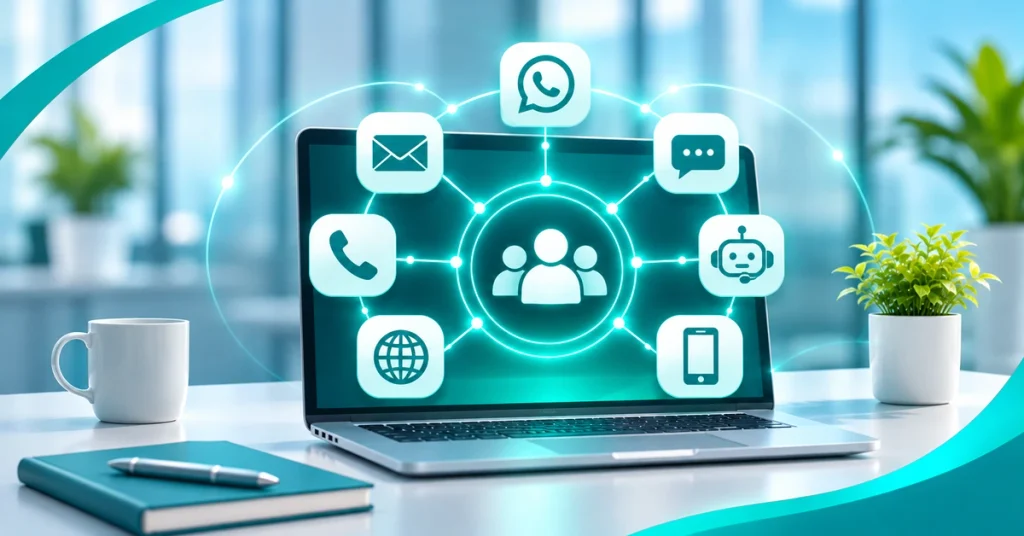
It helps to separate two terms that are often mixed up:
- Multichannel: customers can reach you on several channels, but each channel runs in its own silo and context is lost when they switch.
- Omnichannel: channels feed one shared workspace, so identity, history and ownership follow the customer.
When it is done well, your agents stop juggling browser tabs and work from one inbox. If you are still comparing tools, start with our guide to choosing customer communication software, then return here to plan the rollout.
Why Omnichannel Implementations Often Take So Long
Long timelines usually come from scope and preparation, not from the software itself. These are the five usual causes.
Too many disconnected systems
WhatsApp, SMS, email, voice, a CRM, a helpdesk and internal tools all need to talk to each other. Trying to connect every one of them at once creates technical gridlock. The business effect is the cost of fragmented customer communication that most teams are trying to escape.
Data migration and integration
Customer records and conversation history have to link to the new environment. Decide early what must be connected on day one and what can wait.
Workflow redesign
You are not only installing software. You are deciding who receives each conversation, how it is routed, when automation replies, when a human takes over and what happens after hours.
Training
Agents need to understand the new workspace. Training scheduled months before launch is quickly forgotten, so short, role-based sessions close to go-live work better.
Testing
Channels, routing, automation and integrations each need validation before real customers arrive. Skipping this step is the fastest way to turn a quick launch into a slow recovery.
Broad enterprise programmes that rebuild a whole contact centre can run for many months; one 2026 omnichannel contact centre guide plans for a 3 to 12-month, five-phase programme. A focused deployment has a smaller scope, so it does not have to follow that pattern.
Can an Omnichannel Platform Really Go Live in 5 Days?
Yes, a focused omnichannel platform can go live within five days when the scope, channels, integrations and workflows are defined before implementation begins. The five days are the build, not the preparation.
Treat five days as a rapid deployment model rather than a universal promise. Complex migrations, custom integrations, large historical-data requirements or major process redesigns can need more time. For most growth-focused support, sales and operations teams with a clear first use case, five days is a credible target.
The 5-Day Omnichannel Implementation Plan
Here are the 5 steps in order. Each day has one objective and one expected outcome.
- Day 1: Centralize your channels.
- Day 2: Connect your customer data.
- Day 3: Build routing and team workflows.
- Day 4: Launch automation.
- Day 5: Test, train and go live.
Day 1: Centralize Your Communication Channels
Objective: create one workspace instead of disconnected tabs.
- Audit your active channels and rank them by volume (email, WhatsApp, SMS, web chat, social).
- Connect the priority channels first rather than every channel.
- Define roles, permissions and teams (administrator, manager, agent).
- Map how inbound enquiries currently reach your business and note duplicate tools.
The expected outcome is a single inbox where priority conversations land. If your busiest channel is WhatsApp, a structured WhatsApp shared inbox is usually the right place to start.
Day 2: Connect Your Customer Data
Objective: give agents the context they need without leaving the conversation.
- Connect your CRM, customer database, e-commerce platform or booking system through native connectors or the REST API.
- Choose a unique customer key, such as email or phone number.
- Map the fields that matter: customer identity, open orders or tickets, and account status.
There is a real difference between channel integration and context integration. Connecting WhatsApp is not enough if the agent still has to open five other systems to learn who is writing. Good omnichannel integration puts the customer record next to the chat.
Day 3: Build Routing and Team Workflows
Objective: decide what happens after a customer sends a message.
- A customer messages on WhatsApp.
- The intent is identified.
- The conversation goes to the Sales, Support or Billing queue.
- An agent is assigned.
- The agent resolves it or escalates.
- Set assignment rules by channel, language, priority or skill.
- Create queues and clear ownership for each team.
- Define working hours, out-of-office replies and escalation limits.
Day 4: Launch Automation
Objective: remove repetitive manual work, and automate predictable tasks while escalating exceptions.
- Answer frequent questions automatically, such as opening hours or tracking links.
- Qualify new leads and assign them to a sales representative.
- Offer booking flows for appointments.
- Hand off to a human whenever the customer asks or the bot is unsure.
- Trigger a short follow-up when a conversation ends.
Automation on a focused scope supports faster response times while keeping a human available for anything sensitive.
Day 5: Test, Train and Go Live
Objective: move from configuration to production safely.
- Test channel connections, routing, agent permissions, automation, data sync, notifications, human handoff and reporting.
- Train agents to claim conversations, read customer history, add internal notes and escalate.
- Launch in a controlled way, with extra monitoring during the first shifts, instead of switching everything at once if the operational risk is high.
Want to see what your five-day deployment could look like? Talk to an Omnipulse specialist and share your channels, systems and first use case.
What Should Be Ready Before Day 1?
A five-day implementation does not mean starting from zero on Monday. Preparation decides whether five days is realistic. Complete this omnichannel implementation checklist before kick-off.
| Area | Have this ready |
|---|---|
| Business | Priority channels, teams, user roles and the main customer journeys mapped |
| Technical | CRM or database access, API credentials, required integrations and data fields identified |
| Operational | Routing and escalation rules written down, automation candidates chosen, approved reply content prepared |
| People | An implementation owner, a list of agents and the training participants for day 5 |
Which Customer Journeys Should You Automate First?
Do not try to automate everything on day one. Choose journeys that match four tests:
- High volume: questions that arrive hundreds of times a week.
- Low complexity: clear answers with predictable outcomes.
- High operational cost: tasks that consume many agent hours.
- Clear escalation path: the system knows when to hand off.
Good first candidates include FAQs, appointment confirmations, order or ticket status lookups, lead qualification and reminders. Sector examples, such as healthcare communication workflows, show how the same pattern applies to appointments and reminders.
How to Measure an Omnichannel Implementation
Success is not that the software is switched on. Measure the operational impact, and set a baseline before launch so you can compare. Our guide to customer support KPIs explains how to track most of these.
| KPI | What it tells you |
|---|---|
| First response time | How quickly customers receive an initial reply |
| Resolution time | How long conversations take to resolve |
| Unassigned conversations | Conversations without an owner (the target is none) |
| Automation rate | Share of eligible interactions handled automatically |
| Escalation rate | How often automation needs a human |
| Agent workload | Conversation volume per team or agent |
| Customer satisfaction | CSAT or other customer feedback |
Common Omnichannel Implementation Mistakes
- Connecting every channel immediately. Start with the channels that matter most.
- Automating before understanding the workflow. Do not automate chaos.
- Ignoring customer data. A unified inbox without context is still incomplete.
- Offering no human escalation. Automation needs an exit path.
- Having no ownership model. Every conversation needs a clear destination.
- Treating training as optional. Technology does not fix adoption problems.
- Measuring deployment instead of outcomes. Going live is not the final KPI.
5-Day Implementation vs Traditional Enterprise Deployment
The difference is focus. A defined first scope can be launched quickly, while a large transformation touches many more systems, teams and processes. This comparison is not a claim that every enterprise deployment should take five days.
| Traditional approach | Rapid 5-day model |
|---|---|
| Broad transformation scope | Defined initial scope |
| Several phases before any value | Focused time to value |
| Heavy customisation upfront | Priority integrations first |
| Long training cycle | Targeted team training |
| Big-bang cutover | Controlled launch |
| Value arrives late | Early operational value |
How Omnipulse Supports a 5-Day Deployment
Omnipulse is built around the same sequence. It connects your existing channels and databases and trains agents within its 5-day average setup, which varies with scope.
- Days 1 and 2, centralized inbox: connect communication streams into one operational workspace.
- Days 3 and 4, technical backbone: use the REST API and integrations to connect your own data and third-party systems.
- Day 5, automation: launch the first AI-driven workflow for your highest-frequency customer interactions.
If you are consolidating several tools into one platform, our guide to consolidating the communication stack explains the cost side.
Is a 5-Day Omnichannel Implementation Right for Your Business?
Use this quick test before you commit to the timeline.
| A good candidate | May need more time |
|---|---|
| Clear priority use case | Major legacy-system migration |
| Accessible integrations in existing systems | Extensive historical data migration |
| Limited initial scope | Several custom integrations |
| A named implementation owner | Complex regulatory requirements |
| Channels already identified | Major organisational restructuring |
| Team available for training | Large-scale contact-centre transformation |
What Happens After Go-Live?
Day 5 is not the end. It is day 1 of optimisation. In week two, review response times, automation performance, escalations, agent adoption, customer feedback and any workflows that failed. Then expand step by step: more channels, more workflows, more integrations and more automation. Our guide to omnichannel customer communication covers what to build on top of a live workspace.
Start your 5-day omnichannel deployment. Connect your communication channels, integrate your existing systems and launch your first automation workflow with a focused plan. Request an implementation consultation to get started.
Frequently Asked Questions
What is omnichannel implementation?
It is the process of configuring a customer communication platform so that channels, customer data, teams, workflows and integrations operate as one connected environment, with conversation history and ownership following the customer.
How long does omnichannel implementation take?
It depends on scope. A focused deployment with defined channels, integrations and workflows can go live in about five days, which matches Omnipulse’s 5-day average setup. Large migrations, custom integrations or major process redesigns need more time.
How do you implement an omnichannel customer service platform?
Follow five steps: centralize your channels, connect customer data, build routing and team workflows, launch automation, then test, train agents and go live in a controlled way.
What should be prepared before an omnichannel implementation?
Prepare your priority channels, team roles, CRM or database access, API credentials, routing and escalation rules, approved reply content, an implementation owner and a training schedule for your agents.
Can an omnichannel platform be implemented in five days?
Yes, for a clearly defined scope. Five days is a rapid deployment model rather than a guarantee, and complex migrations or custom integrations may take longer.
What systems need to be integrated?
Usually your messaging channels (WhatsApp, SMS, email, voice) plus the systems that hold customer context, such as a CRM, customer database, e-commerce platform or booking system.
How do you train agents on an omnichannel platform?
Run short, role-based sessions close to launch. Cover where conversations appear, how to claim and assign them, how to read customer history, how to escalate and how automation handoffs work.
How do you measure omnichannel implementation success?
Track first response time, resolution time, unassigned conversations, automation rate, escalation rate, agent workload and customer satisfaction against a baseline taken before launch.
What are the most common implementation mistakes?
Connecting every channel at once, automating before understanding the workflow, ignoring customer data, skipping human escalation, having no ownership model, treating training as optional and measuring deployment instead of outcomes.
Does a five-day launch mean the work is finished?
No. Go-live is the start of optimisation. Review analytics from week two, then expand channels, workflows, integrations and automation step by step.