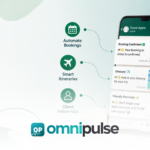
A clinic can easily spend hundreds of staff hours every week answering questions that do not require an ounce of clinical expertise:
- “Can I book an appointment for tomorrow?”
- “What time is my consultation?”
- “How do I reschedule my visit?”
- “Where is the clinic located?”
- “What documents should I bring with me?”
- “When will someone follow up on my results?”
When reception desks are flooded with these routine logistics, patient satisfaction drops, wait times rise, and administrative burnout sets in.
The goal of modern healthcare technology is not to automate the doctor it is to automate the communication surrounding the care journey. By introducing healthcare communication automation, clinics can connect the patient, communication channels (like WhatsApp, SMS, and voice), automated workflows, and internal support teams into a seamless continuum:
Patient WhatsApp / SMS / Voice Automation Layer Internal Team Appointment & Care Journey
Table of Contents
What Is Healthcare Communication Automation?
Healthcare communication automation uses software to automatically send, receive, route, or trigger patient communications based on predefined events or workflows. Healthcare communication automation can handle routine messages so staff focus on patient care.
Examples include:
- Appointment booked Instant confirmation message triggered.
- Appointment approaching Automated reminder dispatched 24 to 48 hours prior.
- Patient requests rescheduling Interactive options presented or conversation routed to staff.
- Patient asks a routine FAQ Instant automated response delivered.
- Appointment completed Automated administrative follow-up or feedback request sent.
- Patient requests human help Instant escalation to a live support agent.
Crucial Distinction: Automation is not autonomous clinical care. This article focuses strictly on administrative and communication workflows, leaving diagnosis, treatment planning, and clinical decisions entirely in the hands of qualified medical professionals. Keep these points in mind when reviewing healthcare communication automation for your own situation.
Why Clinics Automate Patient Communication
Clinic leaders invest in automation to solve five distinct operational bottlenecks:
- Repetitive Enquiries: Front-desk teams repeatedly answer the same basic questions regarding hours, locations, and pricing.
- Appointment Administration: Manual booking, confirmation, cancellation, and rescheduling consume hours of daily staff time.
- Missed Appointments: Without proactive touchpoints, no-shows disrupt clinic schedules and waste provider time.
- Follow-up Gaps: Post-visit communication often relies on ad-hoc manual reminders, leading to inconsistent patient touchpoints.
- Growing Patient Volume: Handling increased patient numbers traditionally required hiring proportionally more support staff. Modern automation breaks this linear scaling rule as demonstrated by workflows like ESMC’s deployment on Omnipulse, which successfully managed communication for over 50,000 patients without adding a single support team member.
8 Healthcare Communication Workflows You Can Automate
1. Appointment Booking
Manual booking phone calls create bottlenecks and friction. Automation can handle the initial intake by guiding patients from an online enquiry or WhatsApp prompt to available services and doctors, letting them select a slot, and instantly confirming the reservation. Clinics using healthcare communication automation often see fewer missed appointments.
- Channels: WhatsApp, SMS, Website widgets, Voice interfaces.
- Best Practice: Keep fallback paths open so patients who prefer talking to a human can do so instantly.
2. Appointment Confirmations
Once an appointment is booked inside your system, an automated confirmation message should immediately dispatch. This gives the patient peace of mind and provides a digital paper trail containing:
- Exact date and time
- Assigned doctor or clinical service
- Clinic location and navigation link
- Preparation instructions (e.g., fasting requirements, required identification)
3. Appointment Reminders
No-shows are expensive and disrupt clinic efficiency. Automated reminder sequences reduce missed slots significantly:
- 48 Hours Before: Initial reminder with quick-action buttons to confirm or reschedule.
- 24 Hours Before: Final check-in notification.
- Timing should be fully configurable to align with your clinic’s specific operational requirements. Similar workflows are heavily emphasized across the healthcare communication software market.
4. Rescheduling & Cancellation
Patients shouldn’t have to wait on hold just to change an appointment time. Automation can recognize a rescheduling request, present approved alternative slots, update your booking system automatically, and send a fresh confirmation. If a request falls outside standard parameters, the system instantly routes the thread to a human coordinator. A clear view of healthcare communication automation makes the next decision easier.
5. Routine Patient FAQs
Front-desk staff spend a massive portion of their day answering repetitive operational questions. An automated engine can instantly resolve queries regarding: Good healthcare communication automation sends the right message at the right time without feeling robotic.
- Clinic operating hours and holiday schedules
- Physical location, parking details, and public transit info
- Available medical specialties and practitioner profiles
- Accepted insurance providers and payment methods
- Basic pre-visit preparation steps
6. Pre-Visit Communication
Ensure patients arrive prepared by triggering automated pre-visit sequences. These can deliver check-in instructions, digital intake forms, required identification checklists, and directional guides.
- Safety Note: Ensure any clinical instructions included in pre-visit messages are strictly vetted and approved by your medical team.
7. Post-Visit Follow-Up
Administrative follow-ups help clinics maintain high service standards without increasing staff workload. Automated post-visit workflows can handle:
- Reminders to book required follow-up consultations
- Patient satisfaction and service feedback surveys
- Administrative next steps (e.g., invoice availability, receipt delivery)
- Approved non-clinical care-process reminders
Warning: Never use automated messaging as a substitute for professional clinician follow-up regarding test results or medical evaluations.
8. Human Escalation
The most critical part of any healthcare automation framework is knowing when to step aside. Automation must actively monitor sentiment and keywords to recognize when a patient requires a human touch. Healthcare communication automation works best when reminders and follow-ups share one clear workflow. Teams that understand healthcare communication automation early avoid most avoidable delays.
Patient Message
│
▼
Automation Layer (Routine Request)──► Resolved Automatically Patients respond better to healthcare communication automation when messages are short and specific.
│
(Complex / Sensitive / Urgent)
▼
Human Support Team Healthcare communication automation also helps clinics keep records of every patient conversation.
This principle is vital to omnichannel safety, ensuring vulnerable or distressed patients are never trapped in an automated loop.
Where Healthcare Automation Should Stop
Trust is the ultimate currency in healthcare. Clinics must establish clear, unyielding boundaries around what software is permitted to handle.
| Automate These (Administrative) | Leave to Humans (Clinical) |
| • Appointment scheduling & booking | • Medical diagnosis & pathology interpretation |
| • Confirmations & multi-channel reminders | • Clinical treatment plans & medical advice |
| • Routine operational FAQs & directions | • Urgent or emergency clinical concerns |
| • Status updates & intake paperwork | • Complex patient-specific medical questions |
| • Feedback collection & surveys | • Sensitive clinical or emotional conversations |
It is also vital to distinguish between clinical communication platforms which coordinate internal hospital workflows, EHR paging, and on-call physician routing like those reviewed in PerfectServe’s clinical communication software guide and patient-facing communication automation. Omnipulse focuses strictly on the latter: streamlining the front-end administrative logistics between the clinic and the patient.
WhatsApp, SMS, or Voice: Which Channel Should Clinics Use?
Different patients prefer different communication channels. A robust system unifies them all. Before rollout, test healthcare communication automation with a small group of patients. Review healthcare communication automation against your own requirements before you commit.
- WhatsApp: Exceptional for two-way conversations, interactive booking flows, rich media delivery, and conversational FAQs. It is rapidly becoming a primary channel across global markets, including high-engagement regions like the UAE.
- SMS: Ideal for short, time-sensitive reminders, verification codes, and basic one-way confirmations where simplicity is key.
- Voice: Valuable for automated reminder calls targeting older demographics or patients who prefer telephone interactions.
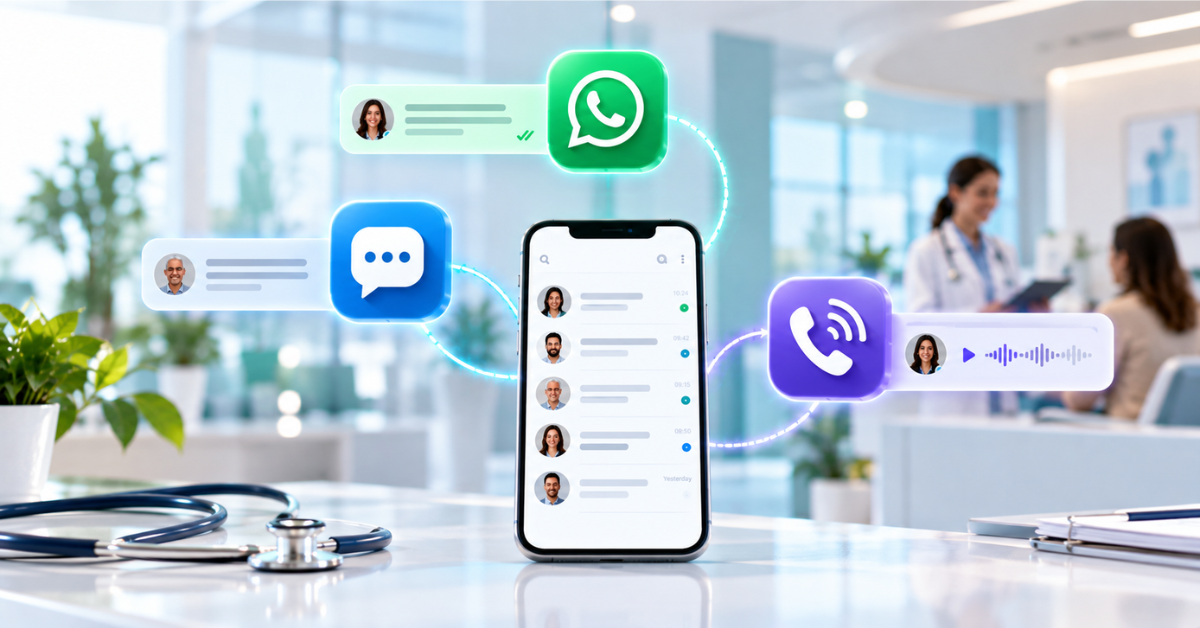
The Unified Approach: The specific channel matters less than whether your communications live in a unified customer experience platform. Omnipulse brings WhatsApp, SMS, email, and voice together into a single shared inbox so patient history is never fragmented across departments.
How Healthcare Communication Automation Works
Patient
│
▼ Healthcare communication automation should always route urgent questions to a human staff member.
WhatsApp / SMS / Voice
│
▼
Omnipulse Unified Platform Measuring response rates shows whether healthcare communication automation is working.
│
▼
Automation Flow Engine
│ A well designed healthcare communication automation plan respects patient consent and privacy.
▼
Healthcare / CRM / Booking System
│
├─► Automated Patient Confirmation Clinic managers often start with healthcare communication automation for appointment reminders.
└─► Human Escalation (When Required)
By connecting external triggers through robust REST API capabilities, clinics can sync their custom databases, electronic medical record (EMR) systems, and booking software directly into their communication workflows.
Healthcare Automation Example: 50,000+ Patients Without More Support Staff
To see how this works in practice, look at how ESMC transformed its operations.
- Before: Managing tens of thousands of patients created massive administrative strain, heavy phone volumes, repetitive FAQ burdens, and disjointed appointment tracking.
- The Automation Implementation: ESMC partnered with Omnipulse to deploy:
- The official WhatsApp Business API
- AI-driven automation flows
- Self-service booking and confirmation engines
- Automated text reminders and routine result notifications
- The Result: ESMC successfully scaled to manage communication for over 50,000 patients without adding a single member to their support headcount.
What to Look for in Healthcare Communication Software
When evaluating solutions for your clinic, look for these essential capabilities: Healthcare communication automation becomes more valuable as the number of patients grows.
- Multi-Channel Communication: Support for WhatsApp, SMS, email, and voice.
- Shared Inbox: A collaborative workspace for your front-desk and support teams.
- Custom Automation Workflows: Easy-to-build logic for triggers, conditions, and actions.
- Seamless Human Handoff: Instant routing from bots to live agents.
- Unified Conversation History: Complete context across every patient interaction.
- Role-Based Access Control: Secure permissions tailored to administrative staff.
- API & Integration Capabilities: Connectors for custom CRMs and health systems.
- Security & Compliance Controls: Strict data handling aligned with industry standards.
How Omnipulse Supports Healthcare Communication
Omnipulse provides the comprehensive infrastructure clinics need to modernize patient interactions:
- Unified Workspace: Manage all patient conversations across WhatsApp, SMS, and voice from a unified customer experience platform.
- Automation Flows: Trigger appointment reminders, intake flows, and status notifications automatically.
- WhatsApp Integration: Leverage official APIs for secure, rich patient messaging.
- AI & Routing: Handle routine inquiries via smart automation while enforcing strict human escalation paths.
- Proven Scale: Rely on the architecture proven by organizations like ESMC to handle high-volume patient communication effortlessly.
The Same Automation Model Works Beyond Healthcare
While healthcare demands strict administrative-clinical boundaries, the underlying operational framework Trigger Message Response Routing Human Escalation applies seamlessly to other industries, such as education. Good planning around healthcare communication automation saves time and cost later.
Common Education Automation Workflows
- Enrollment and admissions confirmations
- Application status updates
- Class schedule reminders and changes
- Student and parent enquiries
- Fee and payment reminders
- Document requests and missing paperwork notifications
FAQs:
What is healthcare communication automation?
It is the use of software to automatically send, receive, and route administrative patient communications such as reminders, bookings, and FAQs across channels like WhatsApp and SMS.
What can healthcare communication software automate?
It can automate appointment bookings, confirmations, multi-channel reminders, rescheduling, routine FAQs, intake paperwork, pre-visit instructions, and feedback collection.
Can clinics automate appointment reminders?
Yes. Automated reminders sent 48 and 24 hours before visits are among the most effective ways to reduce clinic no-show rates.
Can WhatsApp be used for automated patient communication?
Yes, through the official WhatsApp Business API, clinics can run secure, two-way automated patient chats, reminders, and booking flows.
Can healthcare automation connect to existing systems?
Yes. Modern platforms use robust APIs and integrations to sync communication logs and booking events directly with clinic databases and CRMs.
Should healthcare communication automation replace human staff?
No. Automation should handle repetitive administrative logistics, freeing up human staff to focus on complex requests, sensitive cases, and compassionate support.
When should an automated patient conversation be transferred to a human?
Conversations should immediately escalate to a human when a patient expresses frustration, requests a live agent, asks a complex question, or triggers sensitive clinical keywords.
What healthcare communications should not be automated?
Medical diagnoses, treatment decisions, test result interpretations, emergency medical advice, and sensitive clinical consultations must never be handled by automation.
Automate Your Patient Communication Workflows
See how Omnipulse can connect patient messaging, automation, and human support in one workspace.
[ Request a Demo ]