
WhatsApp for Travel Agents: How to Automate Bookings, Itineraries and Client Follow-Ups
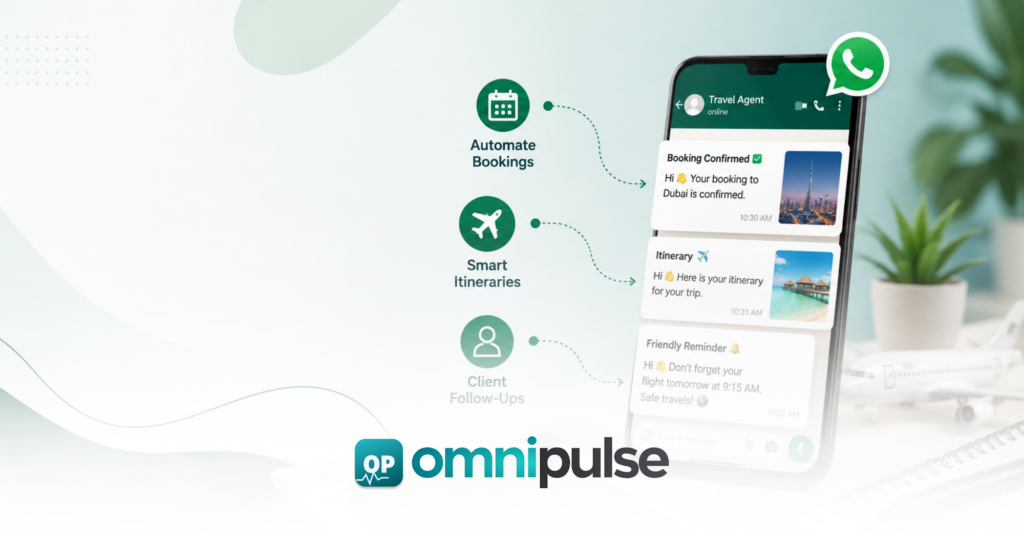
WhatsApp for travel agents refers to the use of the WhatsApp Business API by travel agencies, tour operators, and independent travel consultants to automate client communication across the entire booking journey, from initial inquiry through booking confirmation, pre-departure updates, in-destination support, and post-trip follow-up. It operates through a multi-agent shared inbox connected to the WhatsApp Business API, allowing the entire travel team to manage client conversations simultaneously from one dashboard with full conversation history. WhatsApp for travel agents is distinct from agents messaging clients from personal phones, which creates data governance problems, has no shared visibility, and collapses when the agent is unavailable. For most agencies, WhatsApp for travel agents starts with one shared place for every enquiry. This guide covers six things: why WhatsApp has become the primary communication channel for travel clients in the UAE, South Asia, and across the Middle East, the eight specific workflows travel agencies automate on WhatsApp in 2026, how to handle the quote-to-booking journey entirely inside WhatsApp, what a travel agency looks like before and after WhatsApp automation, compliance rules that apply to travel communication on WhatsApp, and a step-by-step setup process for any agency regardless of size. WhatsApp for travel agents also helps staff pick up a conversation without asking the client to repeat themselves. Why Do Travel Clients in the UAE and South Asia Prefer WhatsApp Over Email? WhatsApp messages achieve a 98% open rate compared to 20% to 25% for traditional email. Travel bookings inherently involve complex, time-sensitive communications including flight details, hotel addresses, tour pickup times, and visa requirements. When relying on email, travelers consistently miss critical pre-departure updates and schedule updates due to cluttered inboxes or spam filters. WhatsApp reaches clients instantly on their primary messaging device, virtually guaranteeing that important trip details are seen in real time. Teams using WhatsApp for travel agents can see who owns each booking at a glance. Keep these points in mind when reviewing WhatsApp for travel agents for your own situation. Furthermore, speed to response is the single largest factor in converting travel inquiries. Agencies that fail to offer chat-first booking paths lose high-intent leads to faster, tech-enabled competitors. Travelers in 2026 expect conversational booking, instant answers, and real-time confirmations. A WhatsApp travel inquiry that receives a response in under 60 seconds converts at a dramatically higher rate than one answered hours later via email. Across competitive markets in the Middle East and South Asia, the fastest responder consistently closes the booking. With WhatsApp for travel agents, quotes and itineraries stay attached to the right client thread. What Are the Eight WhatsApp Workflows Every Travel Agency Should Automate? How Do Travel Agencies Automate Inquiry Capture on WhatsApp? When a prospect messages an agency’s WhatsApp number, an automated flow captures key parameters such as destination, preferred travel dates, passenger count, and budget limits before a human agent steps in. The system logs the inquiry, tags it by destination, and routes it to the agent specializing in that specific region or service. Many agencies find WhatsApp for travel agents easiest to adopt when they start with one destination team. How Do Travel Agencies Send Quotes and Packages on WhatsApp? Agents deliver structured package proposals as cleanly formatted WhatsApp messages containing pricing, inclusions, hotel options, and validity deadlines. As a best practice, automated quote flows must include disclaimer triggers like “price valid until,” “subject to availability,” and “final confirmation after payment” to prevent binding commitments before supplier confirmation. Setting up WhatsApp for travel agents is a good first step before adding automation. A clear view of WhatsApp for travel agents makes the next decision easier. How Do Travel Agencies Handle Booking Confirmations on WhatsApp? Once payment is verified, an automated trigger delivers a full booking summary inside the existing WhatsApp thread. Flight numbers, hotel check-in details, transfer pickup times, and emergency contacts are compiled in a single message. This ensures the traveler keeps all critical booking records accessible in one continuous thread without hunting through PDF attachments. A clear routing rule makes WhatsApp for travel agents far more effective during peak travel seasons. How Do Travel Agencies Automate Document Collection on WhatsApp? Agencies collect passport copies, visa grants, and travel insurance documents directly within the chat interface. Clients upload files or photos straight from their phones, eliminating friction and lost email attachments. When submission deadlines approach, automated document collection reminders prompt the traveler to complete missing uploads. Reply templates inside WhatsApp for travel agents save time on repetitive visa and transfer questions. Teams that understand WhatsApp for travel agents early avoid most avoidable delays. How Do Travel Agencies Send Pre-Departure Reminders on WhatsApp? A three-touch automated pre-departure sequence keeps travelers prepared without manual agent intervention: Good reporting shows whether WhatsApp for travel agents is actually shortening response times. How Do Travel Agencies Provide In-Destination Support on WhatsApp? During the trip, travelers can message the agency for on-the-ground support, such as local transport questions, tour adjustments, or itinerary updates. Connecting WhatsApp to a multi-agent unified inbox for business ensures any available team member can respond with full context, maintaining continuous service quality even if the primary booking agent is off duty. Consistent tagging keeps WhatsApp for travel agents organised as enquiries grow. How Do Travel Agencies Send Post-Trip Follow-Ups on WhatsApp? Between 48 and 72 hours after the return date, an automated flow triggers to request trip feedback, prompt a Google review, and inquire about upcoming travel plans. Because travelers maintain an active, familiar WhatsApp thread with the agency, post-trip WhatsApp messages yield substantially higher response rates than traditional post-trip email surveys. Staff training matters just as much as the tool when rolling out WhatsApp for travel agents. How Do Travel Agencies Run Promotional Broadcasts on WhatsApp? Agencies send targeted, Meta-approved broadcast templates to opted-in client segments to promote seasonal packages, last-minute flight deals, or holiday specials. Maintaining a 98% open rate, these broadcasts yield significantly higher engagement and booking conversion rates than email marketing campaigns targeted at the same audience lists. Clients respond well when WhatsApp for travel agents delivers
Healthcare Communication Automation: 8 Patient Workflows to Automate
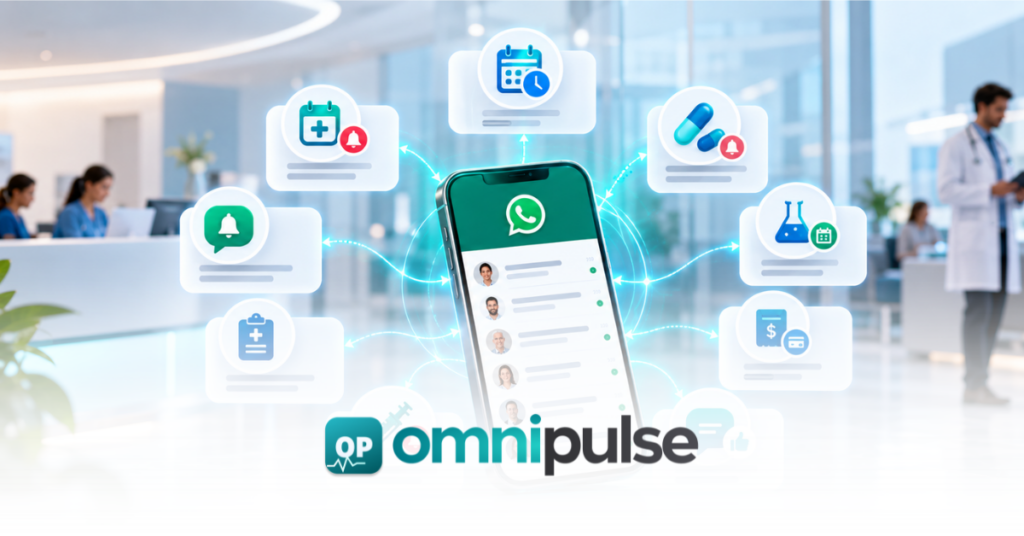
A clinic can easily spend hundreds of staff hours every week answering questions that do not require an ounce of clinical expertise: When reception desks are flooded with these routine logistics, patient satisfaction drops, wait times rise, and administrative burnout sets in. The goal of modern healthcare technology is not to automate the doctor it is to automate the communication surrounding the care journey. By introducing healthcare communication automation, clinics can connect the patient, communication channels (like WhatsApp, SMS, and voice), automated workflows, and internal support teams into a seamless continuum: Patient WhatsApp / SMS / Voice Automation Layer Internal Team Appointment & Care Journey What Is Healthcare Communication Automation? Healthcare communication automation uses software to automatically send, receive, route, or trigger patient communications based on predefined events or workflows. Healthcare communication automation can handle routine messages so staff focus on patient care. Examples include: Crucial Distinction: Automation is not autonomous clinical care. This article focuses strictly on administrative and communication workflows, leaving diagnosis, treatment planning, and clinical decisions entirely in the hands of qualified medical professionals. Keep these points in mind when reviewing healthcare communication automation for your own situation. Why Clinics Automate Patient Communication Clinic leaders invest in automation to solve five distinct operational bottlenecks: 8 Healthcare Communication Workflows You Can Automate 1. Appointment Booking Manual booking phone calls create bottlenecks and friction. Automation can handle the initial intake by guiding patients from an online enquiry or WhatsApp prompt to available services and doctors, letting them select a slot, and instantly confirming the reservation. Clinics using healthcare communication automation often see fewer missed appointments. 2. Appointment Confirmations Once an appointment is booked inside your system, an automated confirmation message should immediately dispatch. This gives the patient peace of mind and provides a digital paper trail containing: 3. Appointment Reminders No-shows are expensive and disrupt clinic efficiency. Automated reminder sequences reduce missed slots significantly: 4. Rescheduling & Cancellation Patients shouldn’t have to wait on hold just to change an appointment time. Automation can recognize a rescheduling request, present approved alternative slots, update your booking system automatically, and send a fresh confirmation. If a request falls outside standard parameters, the system instantly routes the thread to a human coordinator. A clear view of healthcare communication automation makes the next decision easier. 5. Routine Patient FAQs Front-desk staff spend a massive portion of their day answering repetitive operational questions. An automated engine can instantly resolve queries regarding: Good healthcare communication automation sends the right message at the right time without feeling robotic. 6. Pre-Visit Communication Ensure patients arrive prepared by triggering automated pre-visit sequences. These can deliver check-in instructions, digital intake forms, required identification checklists, and directional guides. 7. Post-Visit Follow-Up Administrative follow-ups help clinics maintain high service standards without increasing staff workload. Automated post-visit workflows can handle: Warning: Never use automated messaging as a substitute for professional clinician follow-up regarding test results or medical evaluations. 8. Human Escalation The most critical part of any healthcare automation framework is knowing when to step aside. Automation must actively monitor sentiment and keywords to recognize when a patient requires a human touch. Healthcare communication automation works best when reminders and follow-ups share one clear workflow. Teams that understand healthcare communication automation early avoid most avoidable delays. Patient Message │ ▼ Automation Layer (Routine Request)──► Resolved Automatically Patients respond better to healthcare communication automation when messages are short and specific. │ (Complex / Sensitive / Urgent) ▼ Human Support Team Healthcare communication automation also helps clinics keep records of every patient conversation. This principle is vital to omnichannel safety, ensuring vulnerable or distressed patients are never trapped in an automated loop. Where Healthcare Automation Should Stop Trust is the ultimate currency in healthcare. Clinics must establish clear, unyielding boundaries around what software is permitted to handle. Automate These (Administrative) Leave to Humans (Clinical) • Appointment scheduling & booking • Medical diagnosis & pathology interpretation • Confirmations & multi-channel reminders • Clinical treatment plans & medical advice • Routine operational FAQs & directions • Urgent or emergency clinical concerns • Status updates & intake paperwork • Complex patient-specific medical questions • Feedback collection & surveys • Sensitive clinical or emotional conversations It is also vital to distinguish between clinical communication platforms which coordinate internal hospital workflows, EHR paging, and on-call physician routing like those reviewed in PerfectServe’s clinical communication software guide and patient-facing communication automation. Omnipulse focuses strictly on the latter: streamlining the front-end administrative logistics between the clinic and the patient. WhatsApp, SMS, or Voice: Which Channel Should Clinics Use? Different patients prefer different communication channels. A robust system unifies them all. Before rollout, test healthcare communication automation with a small group of patients. Review healthcare communication automation against your own requirements before you commit. The Unified Approach: The specific channel matters less than whether your communications live in a unified customer experience platform. Omnipulse brings WhatsApp, SMS, email, and voice together into a single shared inbox so patient history is never fragmented across departments. How Healthcare Communication Automation Works Patient │ ▼ Healthcare communication automation should always route urgent questions to a human staff member. WhatsApp / SMS / Voice │ ▼ Omnipulse Unified Platform Measuring response rates shows whether healthcare communication automation is working. │ ▼ Automation Flow Engine │ A well designed healthcare communication automation plan respects patient consent and privacy. ▼ Healthcare / CRM / Booking System │ ├─► Automated Patient Confirmation Clinic managers often start with healthcare communication automation for appointment reminders. └─► Human Escalation (When Required) By connecting external triggers through robust REST API capabilities, clinics can sync their custom databases, electronic medical record (EMR) systems, and booking software directly into their communication workflows. Healthcare Automation Example: 50,000+ Patients Without More Support Staff To see how this works in practice, look at how ESMC transformed its operations. What to Look for in Healthcare Communication Software When evaluating solutions for your clinic, look for these essential capabilities:
WhatsApp for Healthcare: How Clinics Automate Patient Communication in 2026
WhatsApp for healthcare refers to the use of the WhatsApp Business API documentation standards by clinics, hospitals, and diagnostic centers to automate patient communication workflows including appointment booking, reminder sequences, lab result delivery, prescription notifications, and post-visit follow-ups. It operates through the WhatsApp Business API connected to a multi-agent shared inbox, enabling clinical and administrative staff to manage patient conversations at scale without switching between tools. WhatsApp for healthcare is distinct from personal WhatsApp use by clinical staff, which carries data governance risks and is not appropriate for patient communication at the organizational level. This guide covers seven things: why patients prefer WhatsApp over phone and email for clinical communication, the financial cost of clinic no-shows and how WhatsApp automation addresses it, the eight specific workflows clinics automate on WhatsApp in 2026, a step-by-step setup process for any clinic regardless of size, the compliance rules that apply in different markets, what a clinic looks like before and after WhatsApp automation, and the unique per-workflow ROI calculation that no other guide provides. Key Takeaways Why Do Patients Prefer WhatsApp Over Phone and Email? Patients in the UAE, Pakistan, India, and across the Middle East already spend significant time on WhatsApp daily. Adopting WhatsApp for healthcare lets clinics reach patients on the same app they use to message family, requiring zero behavioral change. Unlike traditional phone calls, WhatsApp for healthcare accommodates asynchronous communication without requiring uninterrupted time. Emails require logging into a separate application and navigating a cluttered inbox. WhatsApp requires none of this. 82% of patients prefer it for this reason alone. WhatsApp messages achieve a 98% open rate with 88% read within 5 minutes. Email achieves 20% to 25% open rate. A clinic sending appointment confirmation via email reaches one in four patients reliably. The same message via WhatsApp reaches virtually all of them, almost immediately. Phone calls require both parties to be available simultaneously. WhatsApp allows asynchronous two-way communication. A patient can confirm, reschedule, or ask a question at any time. The clinic can respond without requiring a live call. This is particularly important for working patients who cannot take personal calls during business hours. Patients can share photos of prescription labels, upload insurance documents, or send a photo of a rash for triage purposes directly in the conversation. Clinics can share lab results as secure links, appointment summaries as formatted messages, and post-visit care instructions as documents. None of this is possible in a phone call. All of it is possible in a WhatsApp conversation with a fully logged audit trail. How Much Do Clinic No-Shows Cost and What Does WhatsApp Do About It? Patient no-shows cost the US healthcare system $150 billion annually. Each missed appointment costs the average clinic $200, making WhatsApp for healthcare reminders vital for revenue retention. For a clinic seeing 150 patients per week at a 20% no-show rate, that is 30 missed appointments per week at $200 each, totaling $6,000 per week and $312,000 per year in unrealized revenue. No-show rates average 15% to 25% for general outpatient appointments. Primary care and behavioral health sit higher at 20% to 35%. Source: KFF 2025 Healthcare Access and Utilization Survey. Clinic Performance Impact Patient no-shows cost the US healthcare system $150 billion annually, highlighting the need for WhatsApp for healthcare solutions. Each missed appointment costs the average clinic $200. WhatsApp appointment reminders reduce no-shows by 30% to 52%. WhatsApp appointment reminders reduce no-show rates by 30% to 52% compared to phone-only or no-reminder systems. According to a meta-analysis published in the Journal of Medical Internet Research in 2025, automated chatbot appointment reminders reduce missed appointments by 50.7% on average across healthcare settings. A 2025 National Institutes of Health study found automated text reminders reduce missed appointments by up to 28%, with patients 23% more likely to attend when reminded through automated systems. The ROI Calculation Clinic baseline: 150 weekly appointments, $180 average revenue per visit, 20% no-show rate = 30 missed appointments per week = $5,400 weekly revenue loss. Deploying WhatsApp for healthcare automation achieves a 40% no-show reduction: 30 missed appointments reduced to 18. 12 additional appointments recovered per week at $180 each = $2,160 per week recovered = $112,320 annual recovered revenue. Platform cost: $200 to $400 per month = $2,400 to $4,800 annually. Net annual ROI: $107,520 to $109,920. Payback period: under 2 weeks from deployment. What Are the Eight Patient Communication Workflows Clinics Automate? Clinics that succeed with WhatsApp for healthcare do not use it as a simple messaging channel. They automate specific, repeatable workflows that previously required manual staff involvement. These are the eight workflows with the highest volume and clearest automation ROI. How Do Clinics Automate Appointment Booking on WhatsApp? Patients send a WhatsApp message requesting an appointment. The automated flow asks for their preferred date, time, and department. It checks availability against the clinic’s scheduling system, confirms the slot, and sends a calendar-formatted confirmation message. When using WhatsApp for healthcare, no receptionist involvement is required for standard appointment booking. Staff are only involved when scheduling conflicts or clinical triage decisions are needed. WhatsApp appointment bookings confirm at 3.2 times the rate of email booking confirmations. How Do Appointment Reminder Sequences Work on WhatsApp? Within a WhatsApp for healthcare strategy, a three-touch reminder sequence delivers the highest no-show reduction. Touch 1 is a confirmation message sent immediately after booking with appointment details. Touch 2 is a reminder sent 48 hours before the appointment with a one-tap confirm or reschedule option. Touch 3 is a day-of reminder sent 2 hours before the appointment. Each message includes a direct reply option for rescheduling. Patients who can reschedule without calling are significantly more likely to rebook than to simply not attend. Three-touch SMS and WhatsApp sequences reduce no-show rates to 8% to 12%, down from a baseline of 15% to 25%. How Do Clinics Share Lab Results and Reports on WhatsApp? When lab results are ready, the WhatsApp for healthcare system sends an automated notification with a secure link to
What Does an AI Copilot for Customer Support Actually Do?

An AI copilot for customer support is a real-time software assistant that works alongside human agents during live customer conversations. It does not replace the agent or interact with the customer directly. Instead, it operates in the background of the agent’s workspace, drafting reply suggestions, surfacing relevant knowledge base articles, summarising long conversation threads, and flagging customer sentiment, all within the same interface the agent is already using. The agent reviews every suggestion and decides what to send. The copilot handles the retrieval and drafting work. The agent handles the judgment and the relationship. This guide covers six things: what an AI copilot for customer support actually does in plain terms, how it differs from a chatbot or a fully autonomous AI agent, the six specific functions a copilot performs during a live conversation, what a support shift looks like without one versus with one, how to diagnose whether your team is ready for a copilot, and what to look for when choosing one. Key Takeaways How Is an AI Copilot Different from a Chatbot or AI Agent? The core distinction between these technologies lies in who they interact with directly. A chatbot or an autonomous AI agent is customer-facing. It intercepts incoming inquiries before they reach a human team, reads the message, attempts to find an answer, and replies directly to the consumer. If it succeeds, the human team never sees the ticket. An AI copilot for customer support is agent-facing. It lives inside a unified inbox for business and remains completely invisible to the customer. When a message bypasses automated deflection or requires human empathy, it routes to an agent. The copilot then activates alongside that conversation to guide the staff member. Chatbot or AI Agent AI Copilot Who it talks to The customer directly The human agent only Customer visibility Fully visible Completely invisible Human involvement None unless escalated Required for every reply Best use case High-volume, repetitive queries Complex, nuanced, high-stakes interactions Risk of hallucination reaching customer Higher Near zero, agent reviews everything Chatbots excel at completely deflecting repetitive, low-complexity questions. Copilots excel at optimising complex, high-stakes interactions where human nuance is mandatory. A chatbot operates independently. A copilot forms a tight working partnership with your support staff. Important distinction: Support agents using AI copilot tools handle 13.8% more customer inquiries per hour on average across the full team, with the largest gains concentrated in agents who have been in the role for less than six months. What Are the Six Things a Copilot Does During a Live Conversation? How Does a Copilot Suggest Replies Without Slowing the Agent Down? The copilot reads the customer’s incoming message in real time, matches it against the knowledge base and prior conversation history, and generates a draft reply before the agent has finished reading the message. The agent sees the suggestion inline in their workspace. They can send it as-is, edit it, or ignore it entirely. 84% of customer service reps using AI tools say it makes responding to tickets easier, according to Zendesk’s 2026 AI customer service statistics compilation. How Does a Copilot Surface Knowledge Base Articles Mid-Conversation? Instead of the agent opening a separate browser tab to search for a return policy or a troubleshooting guide, the copilot retrieves the relevant article and surfaces it inside the conversation panel. The agent never leaves the conversation window. This eliminates the tab-switching behaviour that is one of the primary drivers of handle time and agent cognitive load. How Does a Copilot Summarise Long Conversation Threads? When an agent picks up a conversation that another agent started, or reopens a ticket from three days ago, the copilot generates a two to four sentence summary of the thread. The summary identifies the customer’s original issue, what has been tried so far, and what the customer is waiting for. This eliminates the need for the receiving agent to scroll through the full history and prevents the customer from having to repeat themselves. How Does a Copilot Detect Customer Sentiment During a Conversation? The copilot monitors the language and tone of the customer’s messages throughout the conversation and flags shifts in sentiment, such as a customer becoming frustrated or escalating in urgency. The agent sees the sentiment indicator in their workspace and can adjust their approach accordingly before the conversation deteriorates into a formal complaint or a churn event. How Does a Copilot Help With After-Conversation Wrap-Up Work? After a conversation ends, a significant portion of agent time is spent writing case notes, updating ticket fields, and tagging the issue type. The copilot auto-generates the case summary, suggests tags, and fills in structured fields from the conversation content. Zendesk documents that this after-conversation automation reduces handle time substantially and frees agents to move to the next ticket faster without a manual administration step between conversations. How Does a Copilot Handle Translation for Multilingual Teams? For support teams serving customers across multiple languages, the copilot translates both the incoming customer message and the outgoing agent reply in real time. The agent reads in their native language, writes their reply in their native language, and the copilot translates before delivery. This allows a single omnichannel customer communication workspace to serve customers across regions without requiring language-specific agent hiring. What Does a Support Shift Look Like Without vs With an AI Copilot? Consider Zara, a support agent handling a typical four-hour block on WhatsApp. Metric Without AI Copilot With AI Copilot First action on opening a ticket Reads full thread from the beginning Reads a two-sentence AI summary Finding the return policy Opens a separate browser tab Surfaced automatically in the sidebar Writing the first reply From scratch, 3 to 5 minutes Edits an AI draft in 18 seconds After-conversation admin Manual case notes and tags, 2 minutes Copilot generates summary and tags automatically Tickets handled in 4 hours 40 120 Average handle time per ticket 6 minutes Under 2 minutes Reply quality in hour three Drops due to cognitive fatigue Consistent, copilot maintains quality
AI Customer Service Statistics Every Business Leader Needs to Know in 2026

AI customer service statistics are data points that measure the adoption, performance, cost impact, and customer satisfaction outcomes of artificial intelligence tools deployed in customer support operations. These tools include AI chatbots that resolve queries autonomously, AI copilots that assist human agents in real time, automated routing systems, voice AI agents, and sentiment detection tools. The statistics in this guide are drawn from Gartner, Zendesk, Freshworks, McKinsey, and primary research published in 2025 and 2026. This guide organises AI customer service statistics into seven sections: market size and growth, adoption rates by industry, performance and speed improvements, ROI and cost reduction, customer preferences and trust, agent experience and productivity, and the implementation gap between companies that have adopted AI and companies that are actually getting results from it. Key Takeaways How Big Is the AI Customer Service Market in 2026? The financial scale of automated support infrastructure has expanded rapidly. The global AI customer service market reached $15.12 billion in 2026, driven by widespread enterprise migration toward large language models and automated natural language processing tools. Source: Polaris Market Research, cited by GrooveHQ 2026 and ChatMaxima 2026. This infrastructure spending continues to accelerate at a compound level. The overarching market is growing at a 25.8% CAGR and is projected to reach $47.82 billion by 2030. Within this ecosystem, the AI chatbot market specifically will reach $27 billion by 2030, growing at a 23.3% CAGR from 2023. Source: MarketsAndMarkets. Enterprise buyer habits show a clear pivot toward conversational audio solutions. The voice AI customer service segment is growing faster than text-based AI, sustaining a 34.8% CAGR as speech-to-text and tone-matching capabilities mature. Source: Ringly.io 2026. This shifting landscape also changes corporate bottom lines at scale. According to Gartner’s newsroom, conversational AI will reduce contact center agent labor costs by $80 billion globally in 2026. Scale shifts have simultaneously expanded the user base, with 987 million chatbot users globally as of 2026, up from under 500 million in 2022. Source: DemandSage, cited by ChatMaxima 2026. Which Industries Have the Highest AI Customer Service Adoption? What Is AI Adoption in Telecom Customer Service? Telecom leads all global industries, with 95% of providers integrating AI into customer support workflows. Sector data shows AI personalization in telecom drives 5% to 15% revenue growth, while backend automation reduces standard operational costs by approximately 30%. Source: Master of Code Global, cited by ChatMaxima 2026. What Is AI Adoption in Banking and Financial Services? Banking and financial services registers a 92% adoption rate across operations, focusing deployments on fraud detection, security automation, and personalised account guidance. Overall banking AI adoption grew 24.3% over a rolling two-year period, and financial services companies using AI report 35% faster resolution rates. Source: Master of Code Global. What Is AI Adoption in Healthcare Customer Service? Healthcare saw the highest adoption growth rate among all industries, climbing 51.9% as providers automate appointment scheduling, prescription management, and patient communication. Nearly 50% of healthcare professionals plan to adopt AI for data entry, scheduling, and research tasks. Source: Accenture, cited by Zendesk CX Trends 2026. What Is AI Adoption in Retail Customer Service? Within retail operations, 94% of companies say implementing AI has helped decrease operational costs. Early retail AI adopters report a 26.7% lift in overall revenue and a 32.6% gain in consumer satisfaction metrics. Mid-market retailers are adopting AI chatbots at three times the rate of small sellers and enterprise organisations. Source: Capgemini, cited by Ringly.io 2026. How Much Has AI Improved Response Times and Resolution Rates? Operational velocity is the most immediately measurable outcome of an AI deployment. Across multiple industries, AI integration has reduced first response times from over 6 hours to under 4 minutes, representing an improvement of over 95%. Source: NextPhone 2026. Parallel gains are visible in total ticket resolution time. Resolution times have dropped from 32 hours to 32 minutes with AI, an 87% improvement in queue velocity. Source: NextPhone 2026. Stat callout: AI reduces first response times from over 6 hours to under 4 minutes. Resolution times drop from 32 hours to 32 minutes. That is an 87% improvement. Source: NextPhone 2026. Large-scale enterprise case studies illustrate these metrics outside controlled testing environments. Klarna’s AI assistant handled two-thirds of all customer service chats and reduced individual resolution time from 11 minutes to under 2 minutes, driving a $40 million profit improvement in 2024. Source: Klarna. In the retail banking sector, Bank of America’s Erica AI assistant resolves 98% of incoming queries within 44 seconds. Source: NextPhone 2026. On the software vendor side, Intercom’s Fin AI resolves 81% of customer support volume autonomously. Without it, Intercom estimates they would have needed 100 additional team members to manage the queue, saving $7.5 million to $9 million per year. Source: GrooveHQ 2026. Across broader mid-market ecosystems, AI systems achieve an average 89% resolution rate across industries, and companies using AI have cut First Response Time by up to 74% within the first year. Source: Ringly.io 2026. Ready to see AI-assisted response times in your own inbox? Omnipulse embeds an AI Copilot directly inside your shared WhatsApp, Email, and SMS inbox. No separate tool. No additional setup. Request a Demo What ROI Are Companies Actually Seeing From AI Customer Service? Corporate investment returns are scaling predictably as model accuracy improves over deployment cycles. Companies see an average return of $3.50 for every $1 invested in AI customer service tools, while leading organisations achieving deep integrations reach up to an 8x ROI. Source: NextPhone 2026. The longevity of these systems alters the return structure over time. Year one ROI averages 41%, year two reaches 87%, and year three exceeds 124% as models improve from accumulated historical interaction data. Source: NextPhone 2026. The baseline cause of this fiscal efficiency is the drop in variable transaction costs. AI agents cost $0.25 to $0.50 per interaction compared to $3.00 to $6.00 for human agents, representing an 85% to 90% cost reduction per customer interaction. Source: NextPhone 2026. Interaction Method Cost Per Contact Human agent handling