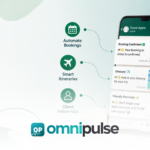
WhatsApp for travel agents refers to the use of the WhatsApp Business API by travel agencies, tour operators, and independent travel consultants to automate client communication across the entire booking journey, from initial inquiry through booking confirmation, pre-departure updates, in-destination support, and post-trip follow-up. It operates through a multi-agent shared inbox connected to the WhatsApp Business API, allowing the entire travel team to manage client conversations simultaneously from one dashboard with full conversation history. WhatsApp for travel agents is distinct from agents messaging clients from personal phones, which creates data governance problems, has no shared visibility, and collapses when the agent is unavailable. For most agencies, WhatsApp for travel agents starts with one shared place for every enquiry.
This guide covers six things: why WhatsApp has become the primary communication channel for travel clients in the UAE, South Asia, and across the Middle East, the eight specific workflows travel agencies automate on WhatsApp in 2026, how to handle the quote-to-booking journey entirely inside WhatsApp, what a travel agency looks like before and after WhatsApp automation, compliance rules that apply to travel communication on WhatsApp, and a step-by-step setup process for any agency regardless of size. WhatsApp for travel agents also helps staff pick up a conversation without asking the client to repeat themselves.
Table of Contents
Why Do Travel Clients in the UAE and South Asia Prefer WhatsApp Over Email?
WhatsApp messages achieve a 98% open rate compared to 20% to 25% for traditional email. Travel bookings inherently involve complex, time-sensitive communications including flight details, hotel addresses, tour pickup times, and visa requirements. When relying on email, travelers consistently miss critical pre-departure updates and schedule updates due to cluttered inboxes or spam filters. WhatsApp reaches clients instantly on their primary messaging device, virtually guaranteeing that important trip details are seen in real time. Teams using WhatsApp for travel agents can see who owns each booking at a glance. Keep these points in mind when reviewing WhatsApp for travel agents for your own situation.

Furthermore, speed to response is the single largest factor in converting travel inquiries. Agencies that fail to offer chat-first booking paths lose high-intent leads to faster, tech-enabled competitors. Travelers in 2026 expect conversational booking, instant answers, and real-time confirmations. A WhatsApp travel inquiry that receives a response in under 60 seconds converts at a dramatically higher rate than one answered hours later via email. Across competitive markets in the Middle East and South Asia, the fastest responder consistently closes the booking. With WhatsApp for travel agents, quotes and itineraries stay attached to the right client thread.
What Are the Eight WhatsApp Workflows Every Travel Agency Should Automate?
How Do Travel Agencies Automate Inquiry Capture on WhatsApp?
When a prospect messages an agency’s WhatsApp number, an automated flow captures key parameters such as destination, preferred travel dates, passenger count, and budget limits before a human agent steps in. The system logs the inquiry, tags it by destination, and routes it to the agent specializing in that specific region or service. Many agencies find WhatsApp for travel agents easiest to adopt when they start with one destination team.
How Do Travel Agencies Send Quotes and Packages on WhatsApp?
Agents deliver structured package proposals as cleanly formatted WhatsApp messages containing pricing, inclusions, hotel options, and validity deadlines. As a best practice, automated quote flows must include disclaimer triggers like “price valid until,” “subject to availability,” and “final confirmation after payment” to prevent binding commitments before supplier confirmation. Setting up WhatsApp for travel agents is a good first step before adding automation. A clear view of WhatsApp for travel agents makes the next decision easier.
How Do Travel Agencies Handle Booking Confirmations on WhatsApp?
Once payment is verified, an automated trigger delivers a full booking summary inside the existing WhatsApp thread. Flight numbers, hotel check-in details, transfer pickup times, and emergency contacts are compiled in a single message. This ensures the traveler keeps all critical booking records accessible in one continuous thread without hunting through PDF attachments. A clear routing rule makes WhatsApp for travel agents far more effective during peak travel seasons.
How Do Travel Agencies Automate Document Collection on WhatsApp?
Agencies collect passport copies, visa grants, and travel insurance documents directly within the chat interface. Clients upload files or photos straight from their phones, eliminating friction and lost email attachments. When submission deadlines approach, automated document collection reminders prompt the traveler to complete missing uploads. Reply templates inside WhatsApp for travel agents save time on repetitive visa and transfer questions. Teams that understand WhatsApp for travel agents early avoid most avoidable delays.
How Do Travel Agencies Send Pre-Departure Reminders on WhatsApp?
A three-touch automated pre-departure sequence keeps travelers prepared without manual agent intervention: Good reporting shows whether WhatsApp for travel agents is actually shortening response times.
- 7 Days Out: Packing recommendations and a travel document checklist.
- 24 Hours Out: Online flight check-in links and airport terminal details.
- Day of Departure: Transfer pickup schedules and local emergency contact information.
How Do Travel Agencies Provide In-Destination Support on WhatsApp?
During the trip, travelers can message the agency for on-the-ground support, such as local transport questions, tour adjustments, or itinerary updates. Connecting WhatsApp to a multi-agent unified inbox for business ensures any available team member can respond with full context, maintaining continuous service quality even if the primary booking agent is off duty. Consistent tagging keeps WhatsApp for travel agents organised as enquiries grow.
How Do Travel Agencies Send Post-Trip Follow-Ups on WhatsApp?
Between 48 and 72 hours after the return date, an automated flow triggers to request trip feedback, prompt a Google review, and inquire about upcoming travel plans. Because travelers maintain an active, familiar WhatsApp thread with the agency, post-trip WhatsApp messages yield substantially higher response rates than traditional post-trip email surveys. Staff training matters just as much as the tool when rolling out WhatsApp for travel agents.
How Do Travel Agencies Run Promotional Broadcasts on WhatsApp?
Agencies send targeted, Meta-approved broadcast templates to opted-in client segments to promote seasonal packages, last-minute flight deals, or holiday specials. Maintaining a 98% open rate, these broadcasts yield significantly higher engagement and booking conversion rates than email marketing campaigns targeted at the same audience lists. Clients respond well when WhatsApp for travel agents delivers confirmations on the same channel they already use. Review WhatsApp for travel agents against your own requirements before you commit.
How Do You Handle the Entire Quote-to-Booking Journey on WhatsApp?
The complete quote-to-booking pipeline can be executed entirely within WhatsApp, requiring no external website forms, lengthy phone calls, or email exchanges. WhatsApp for travel agents supports follow-ups that would otherwise slip through a busy inbox.
[Inquiry Capture Flow] ➔ [Package & Quote Options] ➔ [Document Upload via Secure Link] Agencies that review WhatsApp for travel agents monthly tend to catch bottlenecks early.
│ Automated reminders in WhatsApp for travel agents help clients complete payments and documents on time.
[Post-Trip Follow-up & Review] ◄─ [Pre-Departure Sequence] ◄─ [Payment Link & Confirmation] Handoffs between sales and operations run more smoothly when WhatsApp for travel agents keeps notes on each thread. Good planning around WhatsApp for travel agents saves time and cost later.
- Inquiry & Qualification: The client clicks an ad or message link, launching an automated intake flow that gathers trip parameters.
- Interactive Selection: The system presents tailored itinerary options with clear pricing, day-by-day itineraries, and explicit validity windows.
- Document Gathering: Secure upload links are generated in-chat to capture sensitive traveler identification for visa or ticket issuance.
- Instant Settlement: The agent or system sends an integrated payment link inside the thread, confirming the reservation the moment payment is verified.
- Automated Lifecycle Delivery: Once booked, the same chat seamlessly transitions into providing pre-departure checklists, live trip updates, and post-trip review requests.
What Does a Travel Agency Look Like Before vs After WhatsApp Automation?
To understand the operational impact, consider a mid-sized travel agency running 4 consultants handling approximately 60 active bookings per month: WhatsApp for travel agents can also record preferences, such as seat requests or dietary needs.
| Metric | Before WhatsApp Automation | After WhatsApp Automation |
| Inquiry Response Time | 2 to 4 hours via email | Under 60 seconds via automated WhatsApp flow |
| Quote Delivery Method | PDF sent via email (frequently missed) | Formatted WhatsApp message (98% open rate) |
| Booking Confirmation | Email with attached static PDF | Complete summary directly inside the WhatsApp thread |
| Pre-Departure Reminders | Manual agent phone calls the day before | Automated three-touch sequence (7 days, 24 hours, day-of) |
| Document Collection | Email attachments, chased manually | Direct WhatsApp upload with automated deadline reminders |
| Post-Trip Follow-Up | Forgotten ~60% of the time | Automated 48-hour post-return trigger on every booking |
| Team Oversight | 3 separate personal consultant phones | One shared team inbox with complete conversation history |
| Monthly Repeat Bookings | 8% of past clients rebook | 19% of past clients rebook via automated follow-up |
Financial Impact: Increasing repeat bookings from 8% to 19% on a base of 60 monthly bookings yields 6.6 additional bookings per month. At an average agency commission of $180 per booking, this generates $1,188 in additional monthly revenue ($14,256 annually) driven entirely by automating the post-trip follow-up sequence that was previously forgotten over half the time. Before choosing a platform, compare how WhatsApp for travel agents handles multi-agent access.
What Compliance Rules Apply to Travel Communication on WhatsApp?
While general messaging guidelines apply to all commercial messaging, travel agencies handle sensitive client identification, monetary transactions, and contractual itineraries. Maintaining strict adherence to compliance policies protects your account status and safeguards client data. Clear escalation paths in WhatsApp for travel agents keep urgent changes from getting buried. Each of these points matters when you compare options for WhatsApp for travel agents.
Rule 1: Explicit Client Opt-In Is Mandatory
Every recipient must explicitly opt in before receiving outbound broadcasts or promotional messages. Opt-ins can be collected via a checkbox on your web booking form or through an explicit keyword confirmation inside WhatsApp. Dispatching unsolicited broadcasts violates Meta’s Commerce Policy, risking immediate account suspension. WhatsApp for travel agents is most useful when every team member follows the same response standards.
Rule 2: Never Collect Raw Payment Card Identifiers in Chat
Meta’s business messaging policy explicitly prohibits asking clients to type credit card numbers, CVVs, or bank passwords inside chat threads. Payments must always be processed using secure, PCI-compliant payment links sent within the chat thread—never via plain text inside the conversation. Measuring first response time is an easy way to judge how WhatsApp for travel agents is performing.
Rule 3: Retain Conversation Logs for at Least 90 Days
Travel itineraries and quote acceptances serve as contractual reference points. Archiving complete messaging histories via a Business Solution Provider (BSP) dashboard ensures an audit trail is available if booking details or supplier arrangements are disputed. Personal WhatsApp accounts offer no compliant, centralized archive. The right WhatsApp for travel agents setup depends on the size of your team and the volume of enquiries. Check WhatsApp for travel agents carefully, because small details can change the outcome.
Rule 4: Handle Sensitive Credentials via Secure Upload Gateways
Passport numbers, national ID details, and visa documents should be transmitted through secure upload links provided within the message rather than as unencrypted chat attachments. The WhatsApp message acts as the delivery prompt, while sensitive information is securely stored within your primary document management system. Using WhatsApp for travel agents well means treating each conversation as a booking record.
How Do You Set Up WhatsApp for a Travel Agency Step by Step?
Step 1: Secure a Dedicated Agency Phone Number
Register a clean, dedicated phone number exclusively for your business. This number remains corporate property and ensures client contacts are isolated from individual consultants’ personal devices. WhatsApp for travel agents helps smaller agencies look as responsive as much larger operators. Understanding WhatsApp for travel agents is the first step toward a smoother process.
Step 2: Connect to the WhatsApp Business API via a BSP
Select a Business Solution Provider offering a multi-agent shared inbox, such as Omnipulse. This allows your entire team to manage inbound messages simultaneously with centralized visibility, user routing, and clear operational oversight. Keeping WhatsApp for travel agents tidy with labels and archives saves time for the whole team.
Step 3: Implement an Opt-In Capture Protocol
Configure your initial automated greeting flow to confirm communication consent. Ensure every new lead confirms their opt-in preferences before automated promotional or reminder sequences begin.
Step 4: Submit Core Message Templates for Meta Approval
Draft and submit your foundational outbound templates for Meta authorization (approval typically takes 24 to 48 hours):
- Booking Confirmation Summary
- 7-Day Pre-Departure Checklist
- 24-Hour Flight & Terminal Alert
- Day-of Transfer & Emergency Contact Details
- Post-Trip Review & Feedback Request
Step 5: Integrate Your Travel Management System
Link your CRM or booking software to your shared inbox dashboard via API. This ensures client booking codes, destination histories, and agent notes display right alongside the live messaging thread without requiring software tab-switching. Keep these points in mind when reviewing WhatsApp for travel agents for your own situation.
Step 6: Launch Core Transactional Workflows
Roll out booking confirmations and pre-departure sequences first. Track your initial response time SLA performance and client feedback for 30 days before expanding into large-scale promotional broadcast campaigns.
Frequently Asked Questions
What is WhatsApp for travel agents and how does it work?
WhatsApp for travel agents is an enterprise communication setup that connects the official WhatsApp Business API to a multi-agent dashboard, allowing travel teams to streamline client interactions. It routes incoming inquiries, sends structured itinerary updates, processes document uploads, and manages post-trip follow-ups automatically. By deploying a shared team workspace, all agents maintain access to full conversation histories, ensuring uninterrupted service even when individual consultants are unavailable.
Can travel agencies automate bookings on WhatsApp?
Yes, travel agencies can fully automate the end-to-end booking journey on WhatsApp using structured messaging workflows and API integrations. Automated bots capture lead requirements, deliver formatted package options, collect traveler identification links, and dispatch secure payment links directly inside the conversation thread. Once payment confirmation is received, the platform automatically issues booking summaries and itinerary passes without manual intervention.
How do travel agencies send itineraries on WhatsApp?
Travel agencies send itineraries on WhatsApp using cleanly formatted text templates, interactive list messages, or direct document links. For quick scanning, key travel milestones such as flight schedules, hotel vouchers, and transfer times are formatted directly inside the message body. For complete travel packages, agencies send secure download links or PDF attachments directly within the active chat thread for easy offline access.
What is the difference between WhatsApp Business App and WhatsApp API for travel agencies?
The standard WhatsApp Business App is designed for single-user micro-businesses, locked to a single smartphone without multi-agent routing or complex CRM integration. In contrast, the WhatsApp Business API supports unlimited team members operating from a single business number, offers automated CRM integration, and enables bulk broadcast messaging to opted-in lists. Furthermore, API configurations provide robust compliance, conversation logging, and data privacy features that personal phone applications lack.
Is WhatsApp compliant for sending client booking details?
WhatsApp is fully compliant for sending travel booking details provided the agency uses the official WhatsApp Business API through a secure Business Solution Provider and adheres to privacy standards. Agencies must secure explicit client consent prior to messaging, avoid asking for raw credit card details directly inside the chat window, and maintain archived chat logs for record keeping. Using secure external payment links and encrypted document portals ensures full adherence to international data privacy policies.
How do travel agents collect documents like passports on WhatsApp?
Travel agents collect sensitive identity documents by sending secure document request links inside the WhatsApp conversation thread or accepting direct media uploads in the chat. When using secure upload gateways, the client clicks an automated link, uploads their passport or visa scan to an encrypted storage system, and receives an instant confirmation message in WhatsApp. This approach ensures high-priority documents are collected promptly while keeping sensitive data protected.
Do WhatsApp broadcasts work for travel agency promotions?
WhatsApp promotional broadcasts are highly effective for travel marketing, delivering average open rates of 98% compared to standard 20% email open rates. Travel agencies use broadcasts to deliver seasonal holiday packages, last-minute flight discounts, and limited-time tour offers directly to opted-in contact segments. Because messages arrive in the user’s primary chat inbox, promotional broadcasts generate significantly higher click-through and booking conversion rates than traditional email campaigns.
How long does it take to set up WhatsApp automation for a travel agency?
Setting up basic WhatsApp automation for a travel agency typically takes between 3 to 7 business days. This timeframe covers phone number verification, account approval via Meta, setting up your omnichannel customer communication workspace, and submitting core message templates for approval. Full integration with complex custom booking management platforms or CRMs may take an additional 1 to 2 weeks depending on technical requirements.
See how Omnipulse can automate this workflow for your team.