Customer service teams face a constant dilemma. Call volumes rise, routine questions eat up staff hours and customers expect instant answers. Yet aggressive automation often backfires, creating menu loops that drive satisfaction down.
The answer is not to remove human agents or to push every caller through an endless automated system. The most effective way to automate customer calls is to automate predictable conversations and keep a smooth, contextual route to a person. This guide shows how AI voice customer service works, what it can handle and how to build a call workflow that balances efficiency with the human touch.
Table of Contents
What Is AI Voice Customer Service?
AI voice customer service uses artificial intelligence and automated voice technology to handle, route or assist customer phone interactions. That includes routine questions, notifications, appointment scheduling and outbound campaigns.
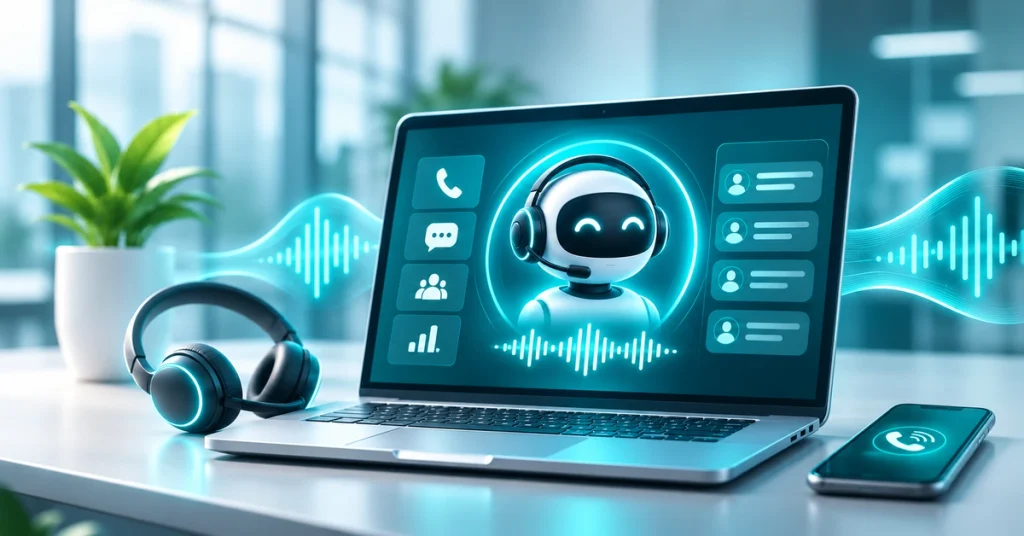
Unlike legacy phone setups, modern voice automation understands intent, handles natural speech or keypad input, completes routine actions and transfers complex cases to a live representative. It helps to separate four terms:
- AI voice agents: conversational systems that talk with customers, answer routine questions, collect details or guide a multi-step task.
- Traditional IVR: structured menus (“Press 1 for Sales”) built mostly to route calls rather than resolve them. See the background on interactive voice response.
- Bulk voice messaging: one-to-many automated voice broadcasts for notifications, reminders and alerts.
- Human agents: live representatives for high-value, sensitive or highly variable conversations.
IVR vs AI Voice vs Human Agents
Choosing phone support technology is not all or nothing. The IVR vs AI voice question has a simple answer: each model suits a different job.
| Approach | Best for | Main limitation |
|---|---|---|
| Traditional IVR | Structured call routing and capturing initial intent | Can become menu-heavy and frustrating if paths run too deep |
| Human agents | Complex, high-value or emotionally sensitive calls | Limited by staff availability, hours and labor cost |
| AI voice | Routine conversations and high-volume inquiries | Needs defined workflows and clear escalation paths |
| Hybrid model | Routine automation plus agent escalation | Needs a unified communication platform and smart routing |
The goal is not to choose between AI and people. A modern support operation uses automation for predictable inquiries so human teams can focus on complex resolutions.
6 Customer Calls You Can Automate With AI Voice
Voice automation works best on clear, repeatable tasks. If you want to automate customer calls, start with these six:
- Appointment reminders and confirmations: outbound calls let people confirm, reschedule or cancel with a keypress or a short reply.
- Transactional and order confirmations: verify details after a purchase or service and write them straight to your database.
- Customer notifications and alerts: account updates, schedule changes, renewals and critical reminders across a large customer base.
- Basic information and account inquiries: business hours, locations, payment due dates and order status, where the answer already lives in your system.
- Intelligent call routing: capture intent early, then send the caller to the best department or skill group.
- Outbound voice campaigns: high-volume service updates or urgent alerts using pre-recorded or automated voice.
The Inbound Workflow: A Front Door That Hands Off Cleanly
Inbound voice automation should act as an intelligent front door. It resolves routine issues at once and passes complex calls on without friction:
- Call identification: the system captures initial details and the main reason for the call.
- Automated self-service: if the question is simple, such as opening hours or confirming a booking, it is resolved automatically.
- Smart routing: if a person is needed, intelligent agent routing sends the caller to the right agent or tier.
- Contextual escalation: the live agent receives the call with the caller’s identity and history, so nobody repeats themselves.
Outbound Calls: Campaigns and Broadcasts
Outbound automation is proactive. It reaches customers before they need to call you. Two formats matter:
- Bulk voice messaging: a one-to-many channel for standardized broadcasts such as emergency alerts, payment reminders or promotional campaigns, with delivery reporting.
- Conversational AI voice: an interactive one-to-one dialogue that collects information, updates records or answers specific questions.
Using both well keeps high-volume outreach efficient and interactive calls responsive. Omnipulse supports both through its IVR software for businesses.
Where Human Agents Still Matter
AI voice agents are not a total replacement for people. Forcing every interaction through automation damages brand perception and frustrates callers. Good voice automation knows when not to automate. Human agents stay essential for:
- Sensitive or high-emotion conversations, such as complaints, service failures or delicate billing issues.
- Complex account edge cases that fall outside standard business rules.
- High-value and VIP accounts that deserve a personal relationship.
- Situations that need judgment, including policy exceptions and creative problem solving.
AI Voice With Human Escalation
To prevent dead ends, your voice setup needs a clear escalation framework. When a request goes beyond the scope of an automated script, the system should hand off to an available agent immediately and pass the caller details along in real time.
The logic is simple. The caller speaks, the system understands the request, routine questions are resolved, and anything complex is routed to a human who finishes the job. Make that exit easy to find and fast to reach.
Do Not Create Another Disconnected Customer Channel
A common mistake is building a voice tool that works in a silo. Picture a customer who messages on WhatsApp for account help, then calls to check progress. If the phone system cannot see the earlier chat, the customer has to start over.
Voice should not become another isolated record. Connecting calls to your wider customer communication software lets call logs, transcripts and messages feed one customer profile. If you are planning several channels, our omnichannel customer communication guide explains how to keep visibility across them.
Give Agents the Context Behind the Call
When a call escalates, the agent should never have to ask, “Can you explain your issue again?” A good handoff shows, before the agent picks up:
- Customer identity: verified name, account ID and linked phone number.
- Reason for contact: the intent recognized during the automated step.
- Interaction history: earlier calls, emails and WhatsApp shared inbox threads.
- Internal notes and routing data: tags, priority and notes from automated steps.
That context shortens average handle time, removes caller repetition and leads to faster first-contact resolution. See our guide to first contact resolution for benchmarks.
AI Voice Customer Service Use Cases by Industry
Healthcare
- Appointment confirmations and reminders to reduce no-shows.
- Administrative alerts when documents or results are ready. Automation supports communication workflows only and does not provide medical diagnosis or clinical advice.
Read more in our guide to healthcare communication automation.
Education
- Admissions updates on deadlines and missing documents.
- Campus alerts and closures through bulk voice messaging.
Retail and Ecommerce
- Delivery updates and status changes.
- Answers about store locations, return policies and opening hours.
Logistics and Supply Chain
- Dispatch notifications to drivers, vendors and recipients.
- Delivery status by tracking number over keypad or voice prompts.
Enterprise and Government Services
- High-volume announcements and public service notices.
- First-line call triage that routes callers to the right division.
AI Voice vs Call Center Automation
Voice automation is one layer in a wider communication stack, not a replacement for it. A traditional model sends the customer to a queue and a human. An automated model resolves routine calls and escalates the rest. An omnichannel model goes further: voice, WhatsApp, SMS and email feed one communication layer, AI handles what it can, and a live agent takes over with full context.
Moving from an isolated call queue to a unified framework lets you scale support without growing headcount or fragmenting data.
How to Measure Voice Automation Performance
Track efficiency and satisfaction together to confirm the automation delivers value:
- First-contact resolution: calls resolved in the first interaction without follow-up.
- Automation rate: the share of calls resolved end to end without a live agent.
- Escalation rate: the share of automated interactions that need a human.
- Average handle time: total call duration, including triage and transfer.
- Call abandonment rate: callers who hang up before reaching an agent or finishing a workflow.
- Customer satisfaction (CSAT): post-call scores across automated and human touchpoints. See how to calculate and improve CSAT.
- Cost per interaction: the cost of automated resolutions compared with agent-assisted calls.
6 Common Voice Automation Mistakes
- Automating every scenario: forcing sensitive or complex cases into a script causes churn.
- Hiding the path to a human: a missing exit frustrates callers and raises abandonment.
- Confusing IVR with AI voice: treating phone trees and conversational systems as the same limits your strategy.
- Isolating voice from other channels: agents cannot see the full timeline across WhatsApp, email and SMS.
- Optimizing automation rate over CSAT: high containment means little if satisfaction falls.
- Choosing voice when digital is better: forms and documents are easier over the web or messaging.
How Omnipulse Supports Voice-Based Customer Communication
Omnipulse helps businesses modernize customer communication by combining automated voice workflows, intelligent routing and unified agent management in one platform. Key capabilities include:
- IVR and bulk voice messaging: interactive menus for inbound calls plus voice broadcasts for alerts, announcements and reminders.
- AI agent with human escalation: automation for routine inquiries with immediate contextual escalation.
- Intelligent agent routing: callers reach the right person based on skills, availability and context.
- Omnichannel integration: voice alongside WhatsApp, SMS, email, Messenger and Instagram, with one customer timeline.
- CRM and lead connection: phone interactions flow into CRM and ticketing workflows.
- Analytics and reporting: response times, resolution rates and team throughput in central dashboards.
Example Workflow: Appointment Confirmation
- Trigger: an upcoming booking sets off an automated voice call.
- Outbound contact: Omnipulse calls the customer with the appointment time and place.
- Customer response: the customer confirms by keypress or voice.
- System update: the booking updates in the calendar or CRM without staff involvement.
- Escalation path: if the customer wants to change the booking or speak to someone, the call routes to an available representative.
- Context handoff: the agent sees the profile, appointment history and call reason before answering.
- Unified logging: the full interaction, automated and human, is stored in the customer timeline.
Frequently Asked Questions
What is AI voice customer service?
AI voice customer service uses artificial intelligence and automated voice systems to handle, route or assist customer phone interactions, including routine questions, updates and appointment management.
Can AI handle customer service calls?
Yes. AI can handle predictable, high-volume calls such as status updates or appointment reminders, while complex queries are transferred to human agents.
What is the difference between AI voice and IVR?
Traditional IVR uses fixed keypress menus to direct calls. AI voice interacts more dynamically, understanding caller intent and resolving requests directly.
Can AI voice transfer customers to human agents?
Yes. Effective setups use a hybrid model where AI handles basic tasks and passes complex, sensitive or high-value calls to live agents together with caller context.
What types of customer calls can be automated?
Common candidates include appointment confirmations, service notifications, routine status checks, basic account inquiries and outbound information campaigns.
What is bulk voice messaging?
Bulk voice messaging sends automated voice notifications to large groups at once. It suits service alerts, appointment reminders and mass outreach.
Is AI voice suitable for healthcare?
Yes, for administrative tasks such as appointment reminders and call routing. Automated systems should not be used to give medical advice.
How does AI voice work with WhatsApp and other channels?
Modern platforms connect voice to an omnichannel framework, so call history and messages from WhatsApp, SMS or email sit in a single customer record.
How do businesses measure voice automation performance?
Businesses track first-contact resolution, automation rate, escalation rate, average handle time, call abandonment rate and customer satisfaction.
How can Omnipulse support AI voice customer service?
Omnipulse provides IVR, bulk voice messaging, AI agent workflows and intelligent routing in one platform that connects calls to CRM records, ticketing and omnichannel messaging.
Automate the routine. Keep the human connection. Bring voice, IVR workflows, intelligent routing and messaging together in one workspace, and book an Omnipulse demo.